Beyond showing dates on a grid, a content calendar for a B2B team has to hold drafts, route them past a VP for sign-off, publish without silently failing, and tell you afterward which posts moved anything. Plenty of tools only cover one or two of those jobs, which is how social managers end up stitching a scheduler to a spreadsheet, a Slack channel and a project board just to ship one LinkedIn post.
We compared eight options, from purpose-built social schedulers to general work-management tools that teams bend into calendars. Pricing comes from each vendor's own pages, and review summaries come from the platforms where we could verify them. The comparison table below gives you the quick version before you get to the full entries.
At a glance
What Makes a Good Content Calendar Tool
Approval Workflow Depth
Several tools are judged specifically on how well they route drafts past stakeholders before publishing. That includes custom roles like editors, clients, and contributors, version history, and whether approvals are included for free or locked behind an expensive upgrade. This is often the deciding factor between a cheaper scheduler and a pricier plan on the same platform.
Post-Publish Reliability
A recurring failure mode across entries is posts silently erroring out, dates shifting without notice, or vague failure messages that don't explain what broke. Worth checking how a vendor's reviewers describe publishing bugs versus how it handles alerting you when something fails.
After-the-Post Engagement
Beyond scheduling, some tools try to drive what happens in the minutes and hours after a post goes live, through features like team likes, comments, and reposts, Slack notifications, and personal profile tagging. This separates tools that only schedule from ones built around the engagement that actually moves posts.
Bulk and Multi-Account Scale
For agencies managing many client accounts, the differentiator is how many posts and accounts a tool can handle at once. That comes down to bulk CSV uploads, per-brand calendars, and the account limits built into each pricing tier.
Pricing Stability Over Time
Sticker price matters less than whether it holds. Reviewers flag sudden, steep price hikes and billing disputes, such as charges after cancellation and surprise renewals, that change the real cost of staying on a platform.
Integration and API Access
Whether a tool connects to the rest of a team’s stack through Zapier, APIs, or MCP access for AI tools, or stays closed off, determines whether the calendar can replace a patchwork of spreadsheets and automations or just becomes another silo.
The Content Calendar Tools Worth Shortlisting
1. Ordinal
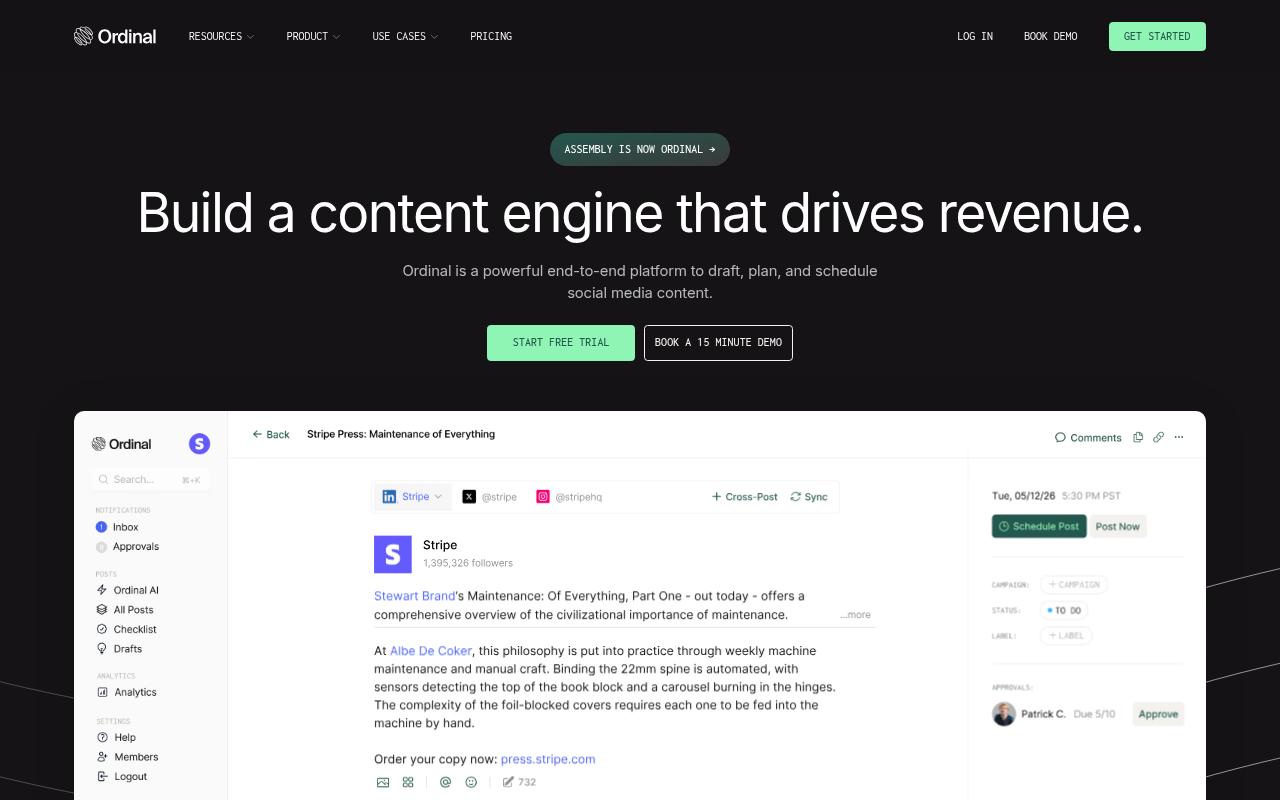
Ordinal is an end-to-end platform to draft, plan and schedule social content, built for content agencies, founders and execs, social media managers, content marketers and growth teams. Its rich content calendar and campaigns view lets you plan posts visually across multiple accounts, and collaboration and approvals are built in so teammates or clients can finalize posts in one place. It cross-posts to every major channel, including LinkedIn, Twitter/X, Instagram and YouTube Shorts.
Price: According to Ordinal's pricing page, Starter is $95/month (up to 3 seats, 4 social profiles, content calendar and scheduling), Pro is $265/month with unlimited seats, team engagements and API and MCP access, Growth is $695/month, and Enterprise is custom. Annual billing drops those to $85, $235 and $625 a month.
Ordinal leads this list because its calendar is wired into what happens after a post goes live. A B2B social manager's week usually breaks in predictable places: an exec post that can't tag personal LinkedIn profiles from the scheduler, a post that errors out without anyone noticing, and teammates who forget to engage in the first few minutes.
Ordinal handles personal profile tagging and realistic previews that show the exact "see more" cutoff. Its Team Likes, Comments and Reposts let colleagues engage from their own accounts up to 12 hours after posting on LinkedIn and Twitter.
Slack Boost Channels ping the team when something publishes, and daily content reporting tracks followers, engagement and impressions across channels. If your team runs Notion or Airtable for workflow, Zapier for glue and Sheets for analytics, Ordinal replaces that stack with one system, and the API and MCP access means you can draft and analyze posts with your own AI tools. If you're building the process from scratch, our guide to content planning for social media covers how to structure the calendar itself.
Verdict: The strongest pick for B2B teams where LinkedIn carries the pipeline and the calendar has to drive engagement and reporting too.
2. SocialPilot
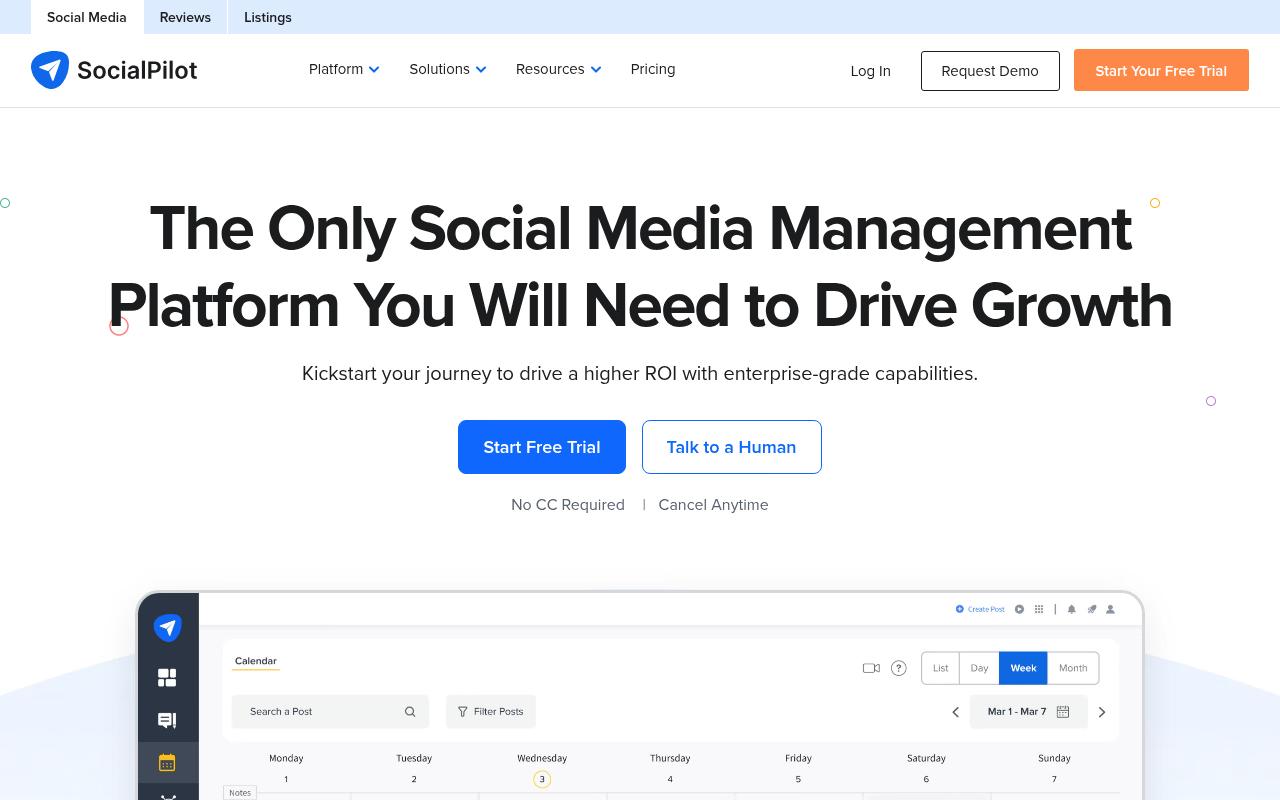
SocialPilot is a social media management platform its homepage describes as "Designed for Scaling Marketing Agencies and Brands," and it's aimed at agency owners, marketing teams and freelancers juggling many client accounts. The content calendar supports drag-and-drop rescheduling, and bulk scheduling handles up to 500 posts from a CSV. You also get post previews, repeat posts, first comments, UTM tracking and an AI Pilot for captions and repurposing.
Pros:
- Highly praised, responsive customer support (reviewers name specific agents as helpful and fast)
- Significant time savings on scheduling workflows
- Good value for money compared to pricier competitors
- Easy to use / intuitive for teams and agencies
- Bulk upload useful for managing many accounts at once
Cons:
- Scheduling can be buggy, sometimes changing post dates without notice when scheduled far in advance
- Error messages for failed posts lack detail on what went wrong
- Missing some requested features like multiple captions on Instagram carousels or LinkedIn polls
- One reported issue with delayed affiliate/referral commission payment
Price: According to SocialPilot's pricing page, plans run from Essentials at $20/month (5 accounts, 1 user) to Standard at $40, Premium at $100 and Ultimate at $200, with custom Enterprise pricing. Yearly billing saves about 15%.
On Reddit, an r/SocialMediaMarketing thread comparing it with Hootsuite called SocialPilot budget-friendly and good for straightforward scheduling, though one commenter raised concerns about the company's business ethics and told others to be wary. Another commenter, who works for a competing tool, said it's been in the industry a long time and supports most of the networks others do. Over in r/socialmedia, one user reported a sharp drop in video views after using it.
Reviewers on TrustPilot give it 4.1/5 across 58 reviews, and customer support drives much of that score, with agents praised by name. One reviewer said it cut monthly scheduling "from 2 weeks every month to a day and a half," and others called it the best value for money. The complaints that do surface involve dates shifting on posts scheduled far ahead, vague failure messages and missing features such as LinkedIn polls.
On Capterra, SocialPilot holds 4.4/5. Reviewers commonly praise easy-to-use scheduling, broad social platform support, affordability, and time savings and note limited advanced analytics, occasional posting bugs, and restricted customization.
On G2, SocialPilot holds 4.5/5 across 846 reviews. Reviewers commonly praise post scheduling, ease of use, and centralized social account management and note missing features, limited integrations, and costly upgrades. See the G2 reviews and pros and cons pages.
Verdict: A cheap, capable scheduler for agencies with lots of accounts, as long as you can live without LinkedIn polls.
3. Hootsuite
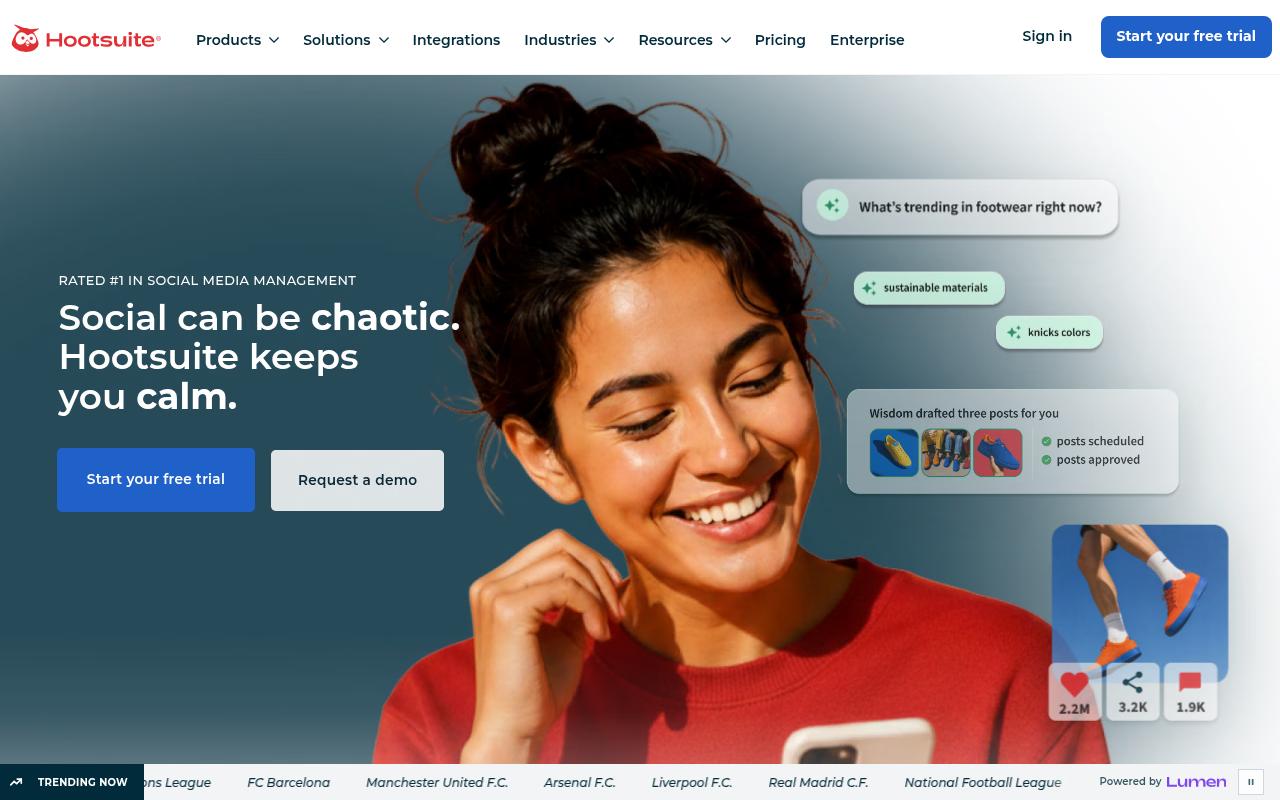
Hootsuite is an all-in-one social media management and social intelligence platform for social managers and communications teams at brands and enterprises. Alongside scheduling, bulk posting and approval workflows, it bundles social listening powered by Talkwalker, competitive analysis, a unified inbox and analytics with industry benchmarks.
Pros:
- Centralizes management of multiple social accounts in one place (noted even by critical reviewers as the core value prop)
- Supports scheduling and posting across many connected accounts
Cons:
- Billing disputes: customers report being charged after cancellation or without clear authorization
- Slow, impersonal, or unresponsive customer support (days to get a reply, AI chatbot seen as unhelpful)
- Difficulty cancelling subscriptions and getting refunds
- Reliability issues: connected accounts disappearing, bugs with video uploads and other basic functionality
- High price relative to experience (e.g. annual contracts costing thousands of dollars)
Price: According to Hootsuite's plans page, pricing is billed annually per user: Standard at $99/month, Professional at $199, Advanced at $399 (where content approval workflows appear) and custom Enterprise. Every paid plan has a 14-day free trial.
On Reddit, r/SocialMediaMarketing thread with 69 comments, a commenter who runs a competing tool said the price tag is big and Hootsuite lags on some features, such as scheduling stories. Others agreed it suits larger budgets but feels pricey for small agencies and startups, and several pointed to cheaper alternatives like Social Champ and OneUp.
TrustPilot tells a much harsher story at 1.3/5 from 556 reviews. Billing drives that number, with reviewers describing charges after cancellation, and one wrote that the company still charged their card £1,200 a year after they closed the account in 2021. Slow, impersonal support replies that take days are the other recurring theme.
On Capterra, Hootsuite holds 4.4/5. Reviewers commonly praise all-in-one social media management, cross-platform scheduling, and campaign efficiency and note high cost, a complex interface, and inconsistent support.
On G2, Hootsuite holds 4.3/5 across 7,512 reviews. Reviewers commonly praise advanced post scheduling, ease of use, and centralized social media management and note high pricing, posting issues, and limited features. See the G2 reviews and pros and cons pages.
Verdict: Worth it only if you need enterprise listening and competitive data and you're willing to watch your billing closely.
4. Loomly
Loomly is a social media management app covering inspiration, creation, approval, publishing and evaluation, pitched at marketing teams who plan and approve content with stakeholders. Each brand gets its own content calendar, with custom approval workflows, post mockups, version history and Slack and Microsoft Teams notifications.
Pros:
- Easy to use, clean and user-friendly interface
- Responsive, helpful customer support
- Useful AI assistant for generating post ideas, captions, and campaign planning
- Good for coordinating teams across multiple timezones/languages
- Company has shown flexibility, e.g. reimbursing billing mistakes
Cons:
- Steep recent price increases (one reviewer cited a 315% hike)
- Interface/reliability issues after a redesign, including posts failing to load or publish
- Feature gaps: can't combine video and image in one post, limited Story/link handling, awkward LinkedIn tagging
- Dropped Twitter support and closed API access (e.g. no Zapier/n8n connections)
Price: According to Loomly's pricing page, Starter is $49/month billed yearly ($65 monthly) for 12 accounts and 3 users, Beyond is $249/month billed yearly ($332 monthly) for 60 accounts and unlimited users, and Enterprise is custom. Non-profits get 50% off for life.
Reddit threads in r/SocialMediaMarketing are dominated by reaction to a 2025 price increase, with one poster calling it "like a 400% price increase." An agency user said his team moved to SocialPilot after paying $180/month on the Advanced plan, and he described Loomly's tools and analytics as "extremely basic" even though they met his team's needs.
TrustPilot users rate it 3.8/5 from 107 reviews. Ease of use, responsive support and the AI assistant for post ideas lift the score, and one team credited it with helping them coordinate across time zones. Price hikes, reliability issues after a redesign, awkward LinkedIn tagging and dropped Twitter support pull it down.
On Capterra, Loomly holds 4.7/5. Reviewers commonly praise ease of use, intuitive scheduling, collaboration, and content organization and note limited analytics, occasional social-account connection issues, and publishing limitations.
On G2, Loomly holds 4.6/5 across 1,796 reviews. Reviewers commonly praise ease of use, content scheduling, collaboration, and affordable pricing and note limited analytics, Instagram integration limitations, and scheduling or publishing issues. See the G2 reviews and pros and cons pages.
Verdict: Its approval workflows are good, though the price history and closed API make it a riskier long-term bet.
5. Planable
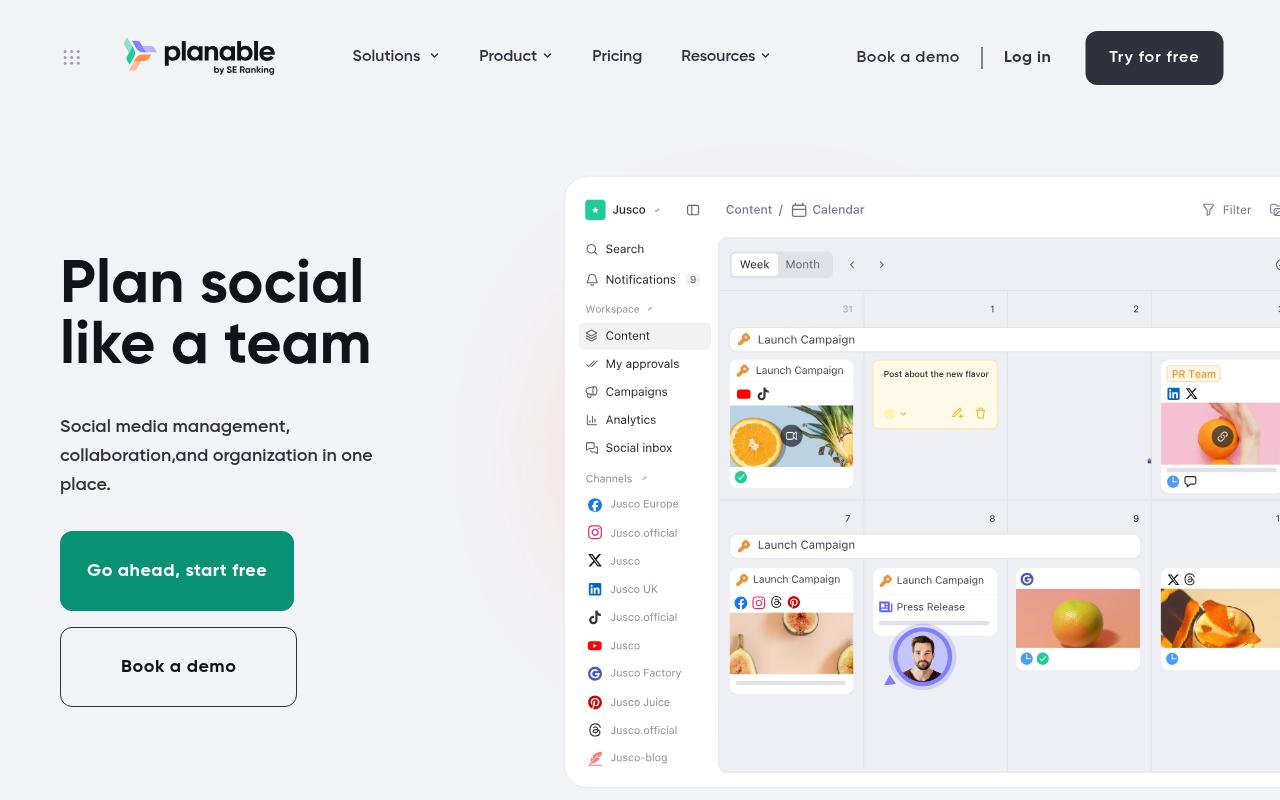
Planable is a collaboration-first tool for creating, reviewing, approving, scheduling and analyzing social content, aimed at agencies, multi-brand companies and multi-location brands. It covers 9 social networks plus blogs and newsletters, with a drag-and-drop calendar, grouped posts, version history and AI caption help.
Pros:
- Clean, intuitive, easy-to-use interface
- Strong collaboration and approval workflow that reduces email back-and-forth
- Drag-and-drop calendar makes scheduling and reorganizing content easy
- Saves teams time on content planning and client approvals
Cons:
- Platform integrations can be unreliable, especially Instagram Stories and Pinterest
- Occasional publishing failures with unclear error messages
- Some features increasingly gated behind higher-priced plans
- Storage limits on the basic plan are restrictive
- Minor UI bugs/buggy buttons reported on web and mobile app
Price: According to Planable's pricing page, Basic is $33/workspace/month (60 posts, unlimited users), Pro is $49/workspace/month (150 posts, required approvals, Public API) and Enterprise is custom. Yearly billing gives 2 months free, and the first 50 posts are free.
Reddit users in r/SocialMediaMarketing praised its visual planning and approval workflow, and they also flagged frustration with cross-platform tagging limits and slow support responses.
Planable's LinkedIn product page, which reflects the vendor's own positioning, highlights dedicated workspaces per client, comment-based feedback and multi-level approvals as a replacement for spreadsheets and email chains.
On TrustPilot it holds 4.4/5 from 71 reviews, carried by comments about its user-friendly calendar and an approval process that "takes out the back and forth on email trails." Critics point to unreliable Instagram Stories and Pinterest integrations, publishing failures with unclear errors and tight storage on the basic plan.
On Capterra, Planable holds 4.5/5. Reviewers commonly praise streamlined content approval and ease of use and note high pricing and feature limitations.
On G2, Planable holds 4.6/5 across 1,129 reviews. Reviewers commonly praise ease of use and post scheduling and note high pricing and plan limitations. See the G2 reviews and pros and cons pages.
Verdict: The pick for agencies whose real bottleneck is client approvals, with per-workspace post caps to watch.
6. Airtable
Airtable is a digital operations platform that gives teams one relational source of truth for apps, workflows and AI agents, so any content calendar here is one you build yourself from templates. It brings no-code automations, integrations with Slack and CMS platforms, and permissioning, though it doesn't publish to social networks on its own.
Pros:
- Flexible, highly customizable database/spreadsheet hybrid
- Strong automation features that boost productivity
- Core product ('spreadsheets on steroids') is powerful once learned
Cons:
- Difficult to cancel subscriptions; multiple reports of being rebilled after cancellation
- Unexpected/high charges from auto-added seats, not prorated
- Customer support described as slow, rigid, or hard to reach a human
- Pricing is high and advanced features are gated behind higher-tier plans
- Recent AI feature rollout introduced lag and broke previously stable functions
Price: According to Airtable's pricing page, there's a free plan, Team at $20/user/month billed annually ($24 monthly), Business at $45/user/month billed annually ($54 monthly) and custom Enterprise Scale.
TrustPilot reviewers rate it 1.9/5 across 159 reviews, and billing explains most of that. Several describe being rebilled after cancelling, along with unexpected charges from auto-added seats. A few still praise its flexibility.
On Capterra, Airtable holds 4.6/5. Reviewers commonly praise ease of use, flexibility, customization, and collaboration and note steep learning curve, high pricing, limited integrations, and restricted exports.
On G2, Airtable holds 4.6/5 across 3,300 reviews. Reviewers commonly praise ease of use, automation capabilities, and flexibility and note steep learning curve, missing features, and limited customization. See the G2 reviews and pros and cons pages.
Verdict: Powerful for ops-minded teams who want a custom tracker, though you'll still need a separate scheduler to publish.
7. Trello
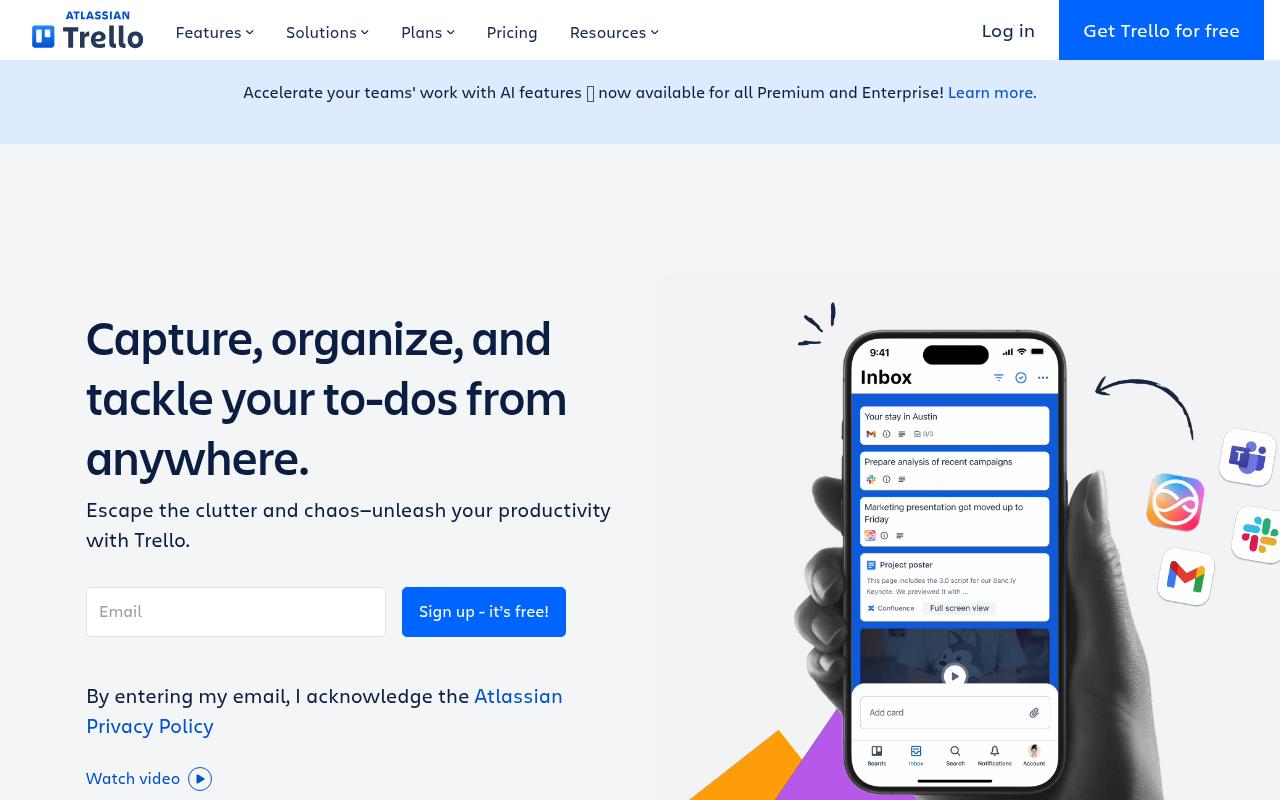
Trello is a visual productivity tool built around boards, lists and cards, and teams use it to organize to-dos and workflows. Cards carry due dates, attachments, checklists and custom fields, while Butler automation handles repetitive rules. Calendar view sits on the Premium plan, and there's no native social publishing.
Pros:
- Easy to use and visually organized for basic task/project needs
- Useful with a few power-ups even for users with fairly basic requirements
- Some long-term users report a consistently positive, simple experience
Cons:
- Subscription cancellation and account deletion are reported as very difficult, with confusing 'active entitlement' blockers and no clear guidance
- Confusing trial/upgrade flows have led to unexpected or duplicate charges
- Customer support relies heavily on an AI bot that often fails to resolve issues
- Reports of unreliable servers and outages
- Frequent forced logouts and complicated re-verification
- Privacy concerns over user card data being used to train AI models, with a cumbersome opt-out
- Mobile app reported to freeze and have inconsistent notifications
Price: According to Trello's pricing page, Free covers up to 10 collaborators, Standard is $5/user/month billed annually, Premium is $10/user/month billed annually and Enterprise is $17.50/user/month billed annually.
Reviewers on TrustPilot give it 2.2/5 from 226 reviews, and the low score comes mostly from account and billing problems, while the core product draws fewer complaints. Users describe being unable to delete accounts because of an unexplained "active entitlements" blocker, confusing trial flows that led to unexpected charges and an AI support bot that often fails to resolve issues.
On Capterra, Trello holds 4.5/5. Reviewers commonly praise ease of use, flexible task tracking, and collaborative planning and note limited advanced project-management features, clutter on large boards, and restrictions on the free plan.
On G2, Trello holds 4.4/5 across 14,067 reviews. Reviewers commonly praise ease of use, visual task organization, and team collaboration and note limited functionality for complex projects, customization constraints, and costly advanced features. See the G2 reviews and pros and cons pages.
Verdict: A cheap idea board for a small team that falls short for anyone who needs to publish from the calendar.
8. CoSchedule
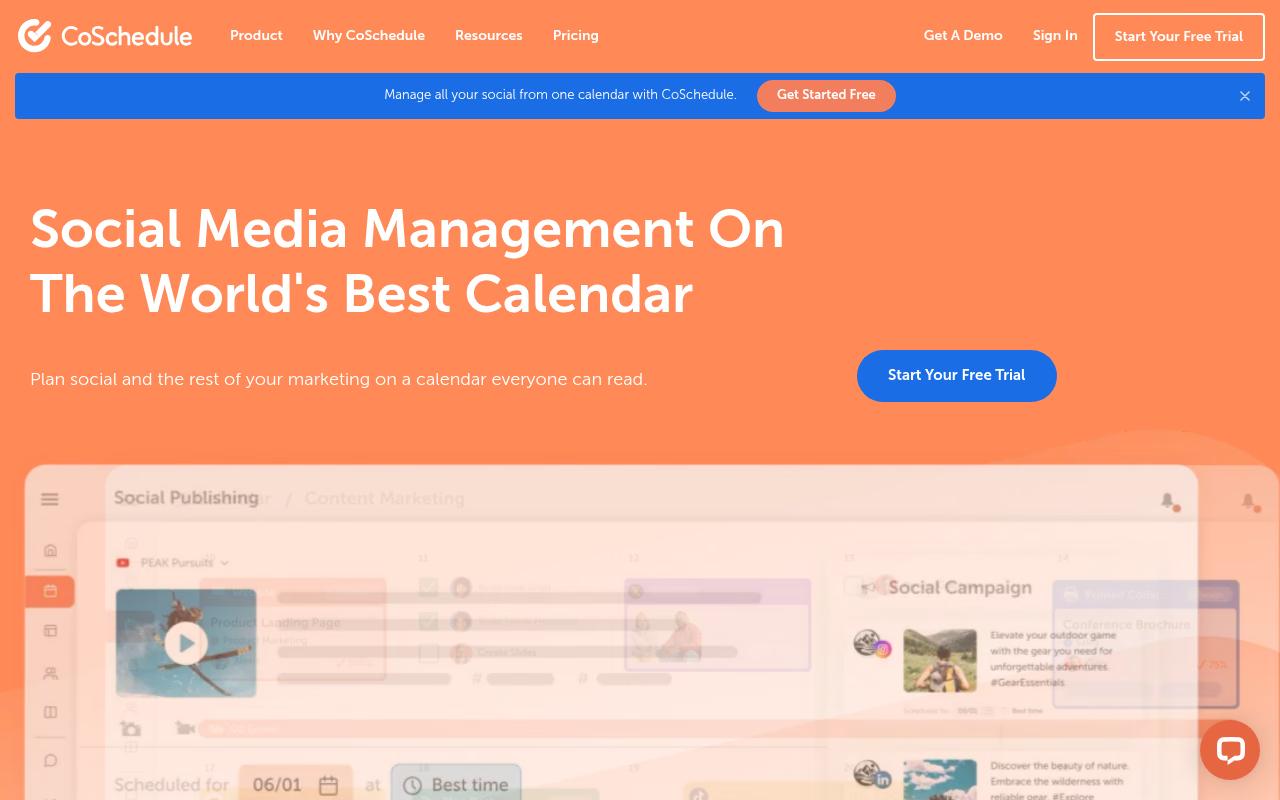
CoSchedule centers on a Marketing Calendar that pulls social, content, email, events and podcasting into one view, built for marketers and teams who plan beyond social. Its social features include Best Time Scheduling, ReQueue for recycling top posts and a social inbox, and it integrates with WordPress and Canva. We've covered it in more depth in our CoSchedule review.
Pros:
- Big time-saver for planning and scheduling content/social posts
- Good for maintaining consistent, organized marketing with templates and schedules
- Scales from small teams to larger departments (20-100 people)
- Vendor continues to add new integrations as social platforms evolve
Cons:
- Customer support described as unhelpful/dismissive, especially when social integrations break (e.g. Meta updates)
- Billing complaints: difficult to cancel or remove card, and feels like features are reduced while prices rise over time
- Complaints about personal data handling and persistent marketing emails after trying to unsubscribe/delete account
- Aggressive marketing tactics on website (signup walls, exit popups)
Price: According to CoSchedule's pricing page, there's a free plan for 15 scheduled posts on 1 profile, Starter at $29/month billed annually ($39 monthly), Professional at $49/month billed annually ($59 monthly) and a custom Suite starting at $69/month.
On Reddit, in an r/socialmedia thread, one commenter called it "solid for multi-platform, but feels a bit heavy."
A MarketersClique post on LinkedIn rounding up user feedback credited its clean drag-and-drop calendar and approval features with tightening workflows, while noting a learning curve and costs that add up for small teams.
On TrustPilot it sits at 3.2/5, though that's based on only 7 reviews, so treat it lightly. One long-time user said six years on the platform had been "a huge time-saver," while unhappy reviewers cited dismissive support when Meta integrations broke and difficulty cancelling.
On Capterra, CoSchedule holds 4.4/5. Reviewers commonly praise user-friendly content scheduling, visual campaign planning, and responsive customer support and note slow load times, limited integrations, and high pricing.
On G2, CoSchedule holds 4.3/5 across 152 reviews. Reviewers commonly praise ease of use and centralized marketing planning and note limited features, integration issues, and high pricing. See the G2 reviews and pros and cons pages.
Verdict: A sensible choice if your calendar has to cover blog, email and events as well as social.
FAQ
What Is the Best Content Calendar Tool for B2B Teams on LinkedIn?
Ordinal is the strongest fit if LinkedIn is your main channel, since it supports personal profile tagging, previews with the "see more" cutoff and team engagement from teammates' own accounts. If approvals are your main concern, Planable and Loomly are worth a look.
Can I Use Airtable or Trello as a Social Media Content Calendar?
You can plan content in either, but neither publishes to social networks natively. Airtable starts at $20/user/month billed annually and Trello's calendar view requires its $10/user/month Premium plan, so you'd still pay for a scheduler on top.
Which Content Calendar Tools Include Approval Workflows?
Ordinal, Loomly, Planable and CoSchedule's Professional plan all include approvals. Hootsuite only adds content approval workflows on its $399/month Advanced plan, according to its plans page.
Related Posts
Looking to learn more? The below posts may be helpful for you to learn more about social media and content marketing.