

Introduction
You're likely researching CoSchedule reviews because you need a better way to manage your social content and marketing calendar. The question is whether CoSchedule's complexity and price tag match what your team actually needs. We're sharing real user feedback, breaking down the cost structure, and showing you alternatives that might fit your workflow better.
TLDR:
- CoSchedule combines marketing calendar and social scheduling but has unreliable posting and lacks TikTok support
- The tool requires 2-3 weeks to learn and forces upgrades for basic social analytics
- Ordinal offers auto-engagement features and LinkedIn insights that connect social activity to sales pipeline
- Buffer and Hootsuite provide simpler scheduling, while Sprout Social focuses on listening and reporting
What is CoSchedule and How Does it Work?
CoSchedule starts with a calendar view where you create projects for different marketing initiatives. Each project contains tasks, deadlines, and social posts tied to that campaign.
Social scheduling happens within these projects. You create posts, assign them to dates and times, and CoSchedule publishes them across connected accounts. The tool includes AI features that suggest posting times and help with content creation.
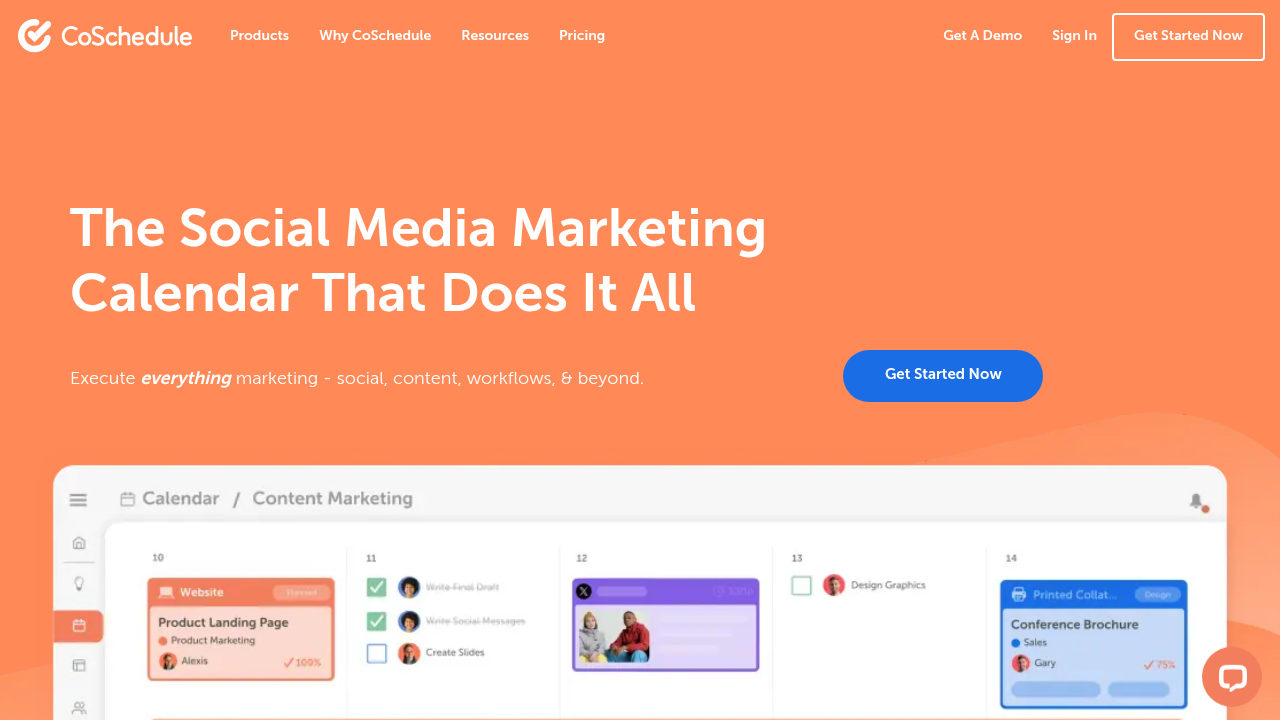
The calendar view shows all marketing activities in one place. You can drag and drop to reschedule, assign work to team members, and track campaign progress. This centralized view helps teams managing multiple content types see their entire marketing schedule at once.
CoSchedule Features
CoSchedule's marketing calendar consolidates social posts, blog content, tasks, and campaigns in one timeline. You can drag items between dates, color-code by project, and filter by content type or team member.
Social Media Management
CoSchedule schedules posts across Facebook, Instagram, LinkedIn, Twitter, and other networks. The ReQueue feature automatically recycles top-performing posts to fill calendar gaps. The Social Inbox consolidates messages and comments from connected accounts into a single view for faster responses.
Content Workflow and Collaboration
The work organizer breaks content projects into tasks with assignees and due dates. Team members can comment, upload assets, and move items through approval stages. WordPress integration lets you draft blog posts and schedule social promotion in the same workflow.
AI-Powered Tools
CoSchedule's AI analyzes past post performance to suggest optimal posting times and generates content ideas for social copy. However, with 60% of B2B marketers planning to increase investments in AI tools in 2025, these basic AI features may not meet the advanced automation needs of forward-looking teams.
The tool tracks post engagement, follower growth, and campaign performance across channels to help identify which content types drive the most interaction.
CoSchedule Key Limitations and Gaps
CoSchedule's feature set includes several drawbacks that affect team productivity and social media performance.
Steep Learning Curve
The interface complexity creates friction for new users. Most teams need 2-3 weeks to reach full productivity due to scattered feature organization and non-intuitive navigation.
Social Media Management Weaknesses
CoSchedule's social capabilities lag behind dedicated social tools. Users report unreliable posting and scheduling failures that compromise content calendars. The absence of TikTok support excludes a major channel from your social strategy. Engagement features remain basic, without capabilities like auto-engagement or first comment scheduling.
Social analytics are only available in the full Marketing Suite tier, not the standalone Marketing Calendar product. This pricing segmentation forces teams to upgrade for basic performance visibility.
Limited Collaboration Tools
CoSchedule provides only essential collaboration features like discussions and read-only mode in paid versions. Teams accustomed to approval workflows, inline commenting, or Slack integrations will find the collaborative experience restrictive.
Analytics and Integration Gaps
The analytics capabilities provide surface-level metrics without the depth that revenue-focused teams need.
You can't identify individual engagers, track social-to-pipeline attribution, or export engagement data for CRM enrichment. Given that only 6% of businesses feel effective at calculating content ROI, these analytics limitations make it nearly impossible to demonstrate marketing value.
The integration library covers major tools but remains narrower than competitors.
Pricing Challenges
Costs escalate rapidly as you add team members or social profiles. Small businesses and lean teams often find the investment difficult to justify when simpler, more affordable alternatives deliver better results for core social media needs.
Best CoSchedule Alternative
If CoSchedule's limitations are holding your team back, several alternatives offer different approaches to social media management.
Ordinal
Ordinal is designed for B2B teams who take socials seriously. The Notion-like editor supports collaborative drafting with inline comments and realistic previews across networks. Approval workflows route posts to stakeholders with Slack notifications before publishing.
Auto-engagement features include first comments that add context after posts go live, reposts that amplify company content to executive profiles, and auto likes that provide early engagement signals. LinkedIn insights reveal which individuals engaged with your content, and you can export this data to enrich your CRM and connect social activity to sales opportunities.
Multi-account management handles dozens of profiles from one dashboard without cost escalation per seat

Buffer
Buffer provides straightforward scheduling at lower price points for small teams focused on publishing consistency. The interface prioritizes simplicity over advanced collaboration features and analytics depth.
Hootsuite
Hootsuite delivers enterprise-grade management with extensive integrations across social networks.
The interface and learning curve mirror CoSchedule's complexity, though the breadth of supported channels appeals to larger organizations managing diverse social presences.
Sprout Social
Sprout Social excels at social listening and reporting with robust analytics capabilities.
The tool serves large organizations well but lacks LinkedIn-specific auto-engagement features and carries premium pricing that stretches smaller team budgets.
Final thoughts on CoSchedule for your team
CoSchedule consolidates marketing activities into one calendar, which appeals to teams juggling multiple content types. The social media weaknesses and steep learning curve can hold back teams that need reliable publishing and engagement features.
If you're evaluating social media management tools, compare what you actually need against what each option delivers best.
Your team will be more productive with a tool that fits how you work.
FAQ
What is the main difference between CoSchedule and social-first tools like Ordinal?
CoSchedule functions as a broad marketing calendar that handles multiple content types (blogs, emails, social posts), while Ordinal specializes in social media management with features like auto-engagement, LinkedIn insights, and social-to-CRM integration that directly connect content to revenue.
How long does it take to learn CoSchedule?
Most teams need 2-3 weeks to reach full productivity with CoSchedule due to its complex interface and scattered feature organization, which creates friction for new users getting started.
Can I track which individuals engage with my social posts in CoSchedule?
No, CoSchedule provides only surface-level analytics without the ability to identify individual engagers or track social-to-pipeline attribution that B2B teams need for sales follow-up.
When should I consider switching from CoSchedule to a different tool?
If you're experiencing unreliable posting, need TikTok support, require approval workflows with Slack notifications, or want to connect social engagement data to your CRM for lead generation, alternatives like Ordinal will better serve your needs.
Does CoSchedule pricing increase as my team grows?
Yes, CoSchedule costs escalate rapidly as you add team members or social profiles, making it difficult for small businesses and lean teams to justify the investment compared to more affordable alternative
Related Posts
Looking to learn more? The below posts may be helpful for you to learn more about social media and content marketing.