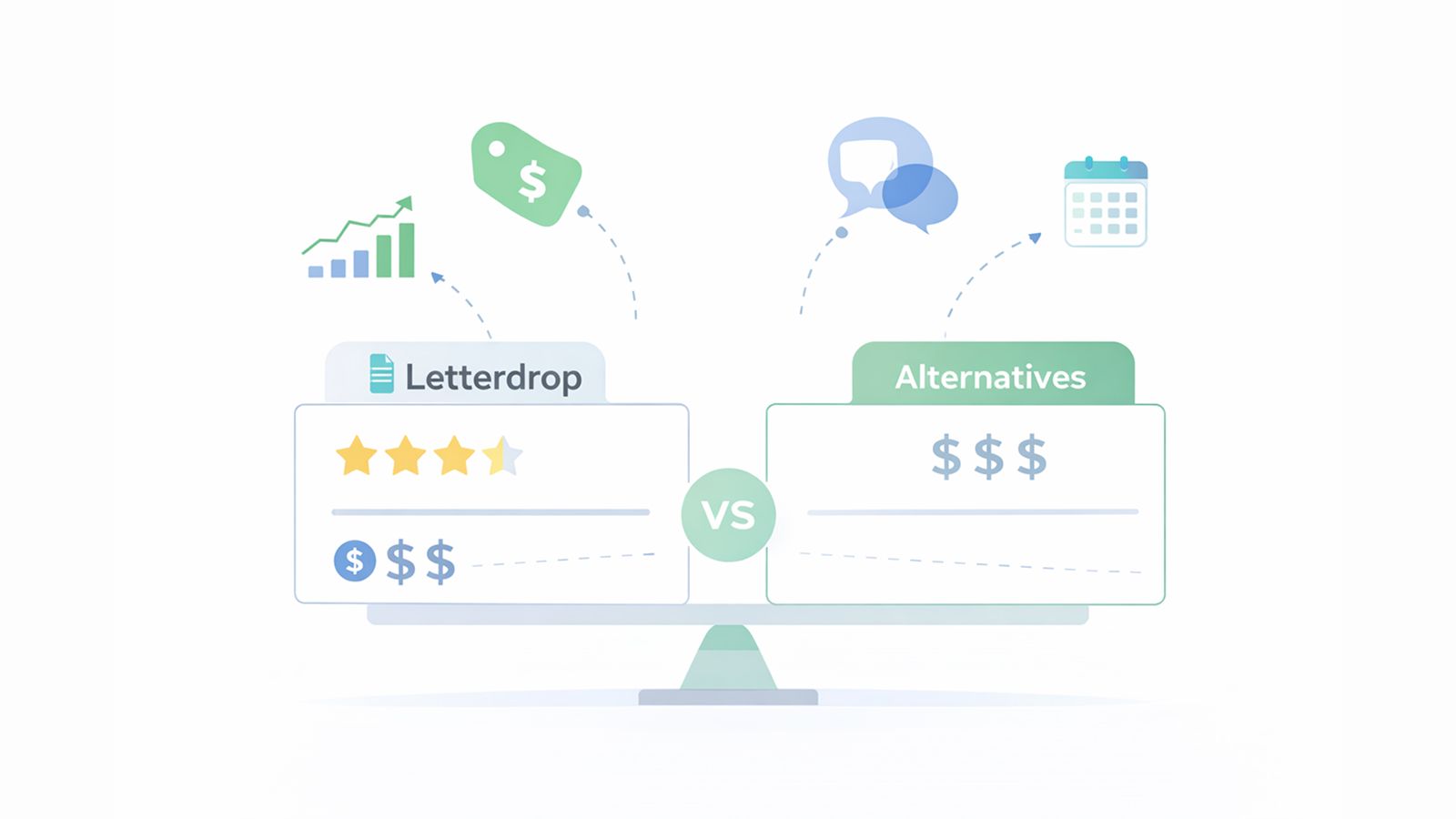
Most teams researching Letterdrop hit the same questions: Is it worth the price? Will it work for channels beyond LinkedIn? Can your whole team collaborate on content? These are fair concerns, especially when you're evaluating a content marketing platform for B2B sales or marketing use cases that start at nearly $1,000 monthly. The concerns are amplified by the social media management market's 21.2% annual growth which reflects increasing demand for comprehensive multi-channel solutions - capabilities that platforms like Letterdrop don't fully deliver. Ordinal was built to address these gaps with multi-channel support and collaborative workflows. Let's look at what Letterdrop offers, how much it costs, and which alternatives fit different team structures.
TLDR:
- Letterdrop converts sales calls into LinkedIn posts but lacks multi-channel support and costs $995/month
- You need alternatives if you manage Instagram, TikTok, or Facebook or want detailed engagement analytics
- Buffer and Hootsuite offer basic scheduling but lack approval workflows and auto-engagement features
- Sprout Social provides enterprise reporting but treats publishing as the finish line without amplification tools
- Ordinal delivers multi-channel management, auto-engagement workflows, and comprehensive analytics at lower cost
What is Letterdrop and How Does it Work?
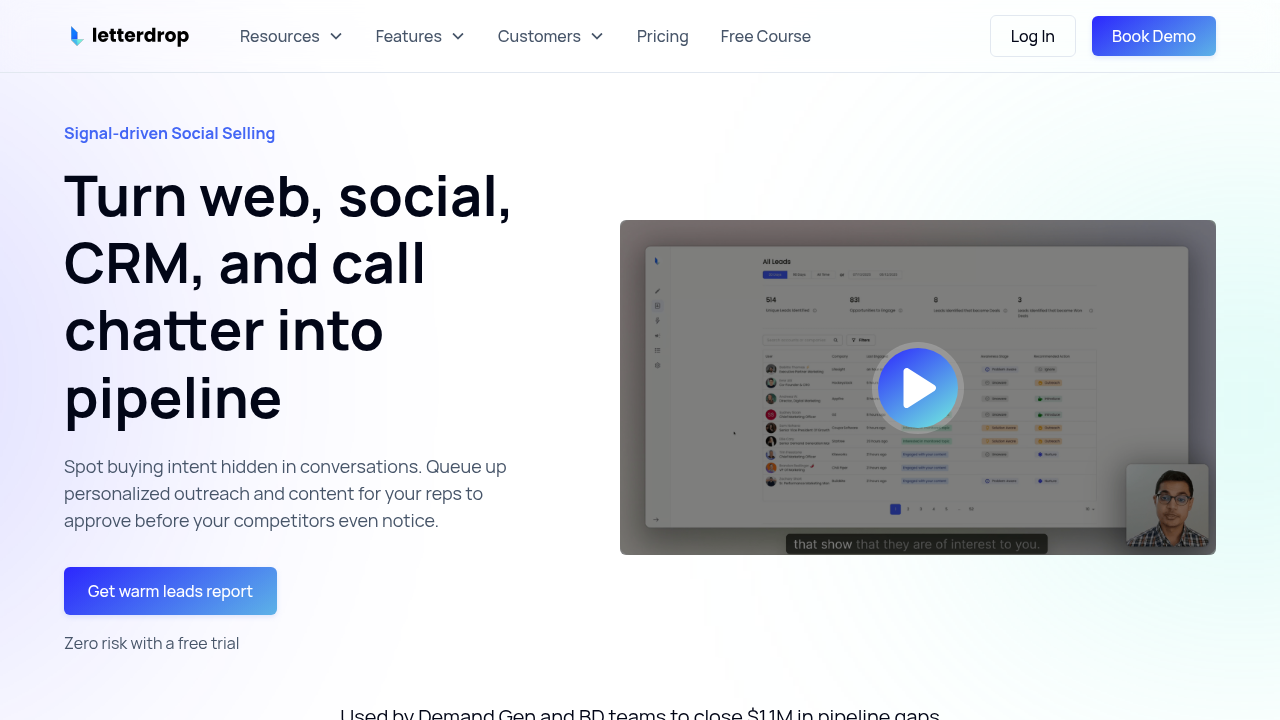
Letterdrop is a content operations tool built specifically for B2B companies looking to scale LinkedIn content as a sales enablement channel. The software focuses on converting existing assets into multi-touchpoint campaigns that can be distributed across Go-to-Market teams.
At its core, Letterdrop addresses a specific workflow: helping sales and marketing teams extract insights from customer conversations and turn them into LinkedIn posts. The tool integrates directly with Gong to pull from recorded sales calls, then uses AI to generate text-based content from those conversations, which can then be scheduled for the best times to post on LinkedIn.
The typical user is an Account Executive or sales leader who wants to build pipeline through thought leadership rather than relying solely on cold outreach. Marketing teams at tech companies also use it to maintain content calendars and manage approval workflows before posts go live.
Letterdrop Features and Limitations
Letterdrop focuses on a specific workflow: converting sales conversations into LinkedIn content that drives pipeline. The platform combines content creation tools with CRM integrations to help B2B teams track which prospects engage with their posts and route those warm leads to sales reps for follow-up.
Key features:
- Content calendar planning – Schedule and organize LinkedIn posts across your team with basic calendar views
- SEO optimization – Built-in tools to optimize blog content for search engines
- CRM integrations – Native connections with HubSpot and Salesforce to sync content activity with sales data
- Automated engagement tactics – Coordinate likes and comments across team members to boost post visibility algorithmically
- Account tracking – Monitor which accounts interact with your content and feed that engagement data back into your CRM as warm leads for sales follow-up
Key limitations and gaps:
- Single-channel focus – Built exclusively for LinkedIn with no support for Instagram, TikTok, Facebook, YouTube, or Twitter
- Limited analytics depth – Provides only basic engagement metrics without granular performance insights or content bucket analysis
- Rigid workflow structure – Lacks visual pipeline management that modern content teams expect
- Narrow integration ecosystem – Supports only HubSpot and Salesforce for CRM, with limited third-party tool connections
- High price barrier for Team Plans– While individual users pay $299/month, Team Plans can start at $995/month, which puts it out of reach for smaller teams, agencies, and early-stage companies
- Restricted ideal customer profile – Designed specifically for enterprise sales teams with Gong recordings, leaving out founders, agencies, and marketing-led organizations
Letterdrop Pricing: What Does it Actually Cost?
Letterdrop's pricing reflects its positioning as an enterprise sales enablement tool. The company offers three tiers that put it out of reach for many smaller teams and agencies.
Letterdrop's pricing starts at $299/month for individual users (or $249/month billed annually), designed for founders and account executives. Team plans run approximately $1,249/month on annual billing, while enterprise pricing is custom.
What You're Actually Paying For
The high price point reflects Letterdrop's narrow focus on converting sales conversations into LinkedIn content. You're essentially paying for Gong integration, basic LinkedIn scheduling, and CRM connectivity. For teams that don't record sales calls or only need LinkedIn publishing without the sales enablement layer, this represents significant overhead.
Hidden Costs to Consider
Beyond the base subscription, factor in:
- Training time – The tool's workflow is built around a specific sales-to-content process that requires onboarding
- Integration dependencies – You'll need active Gong, HubSpot, or Salesforce subscriptions to unlock core features
- Limited channels – Managing other social networks requires additional tools and subscriptions
- Scaling costs – Adding team members or accounts means jumping to higher tiers quickly
How Ordinal Pricing Compares
We built Ordinal to deliver comprehensive social media management without the enterprise-only price tag. Our pricing starts significantly lower while including multi-channel support, auto-engagement features, and collaborative workflows that Letterdrop lacks. Teams get LinkedIn excellence plus Instagram, Twitter, Facebook, TikTok, and YouTube management from one platform.
For B2B companies serious about social content as a growth channel, Ordinal provides better value: more channels, deeper collaboration, engagement automation, and analytics that connect social activity to revenue outcomes – all at a fraction of Letterdrop's cost.
Why Consider Letterdrop Alternatives?
Letterdrop serves a specific niche well, but several limitations push teams toward alternatives. The first is scope. While it excels at converting Gong calls into LinkedIn posts, teams managing Instagram, TikTok, Facebook, or YouTube will hit a wall quickly and need cross-platform social media publishing tools. The tool simply wasn't designed for multi-channel social media management.
Cost is another major factor. Letterdrop pricing starts at $995 per month, which represents a substantial commitment for smaller teams, agencies, or early-stage companies trying to prove ROI from social content. Many alternatives offer comparable LinkedIn scheduling at a fraction of that price point.
The analytics also fall short for teams wanting detailed engagement insights. Users report that Letterdrop provides only fundamental metrics without the granular data needed to understand what content actually drives results. For B2B teams trying to track which executives or accounts engage with your posts, this gap becomes a dealbreaker.
Workflow limitations create friction too. The absence of Kanban-style boards makes it harder to visualize content pipelines across multiple clients or campaigns. Teams accustomed to dragging posts between stages or collaborating with inline comments often find Letterdrop's interface less intuitive than modern content operations tools.
Integration constraints also matter. The tool supports a limited number of third-party connections, which restricts automation workflows for teams that rely on connecting social engagement data to enrichment tools or CRMs beyond HubSpot and Salesforce.
Finally, the ideal customer profile is narrow. Letterdrop works best for enterprise sales teams with recorded calls to mine for content. Founders creating their own thought leadership, agencies managing dozens of client profiles, or marketing teams running comprehensive social programs with LinkedIn scheduling tools for executives will likely need something more flexible and affordable.
Best Letterdrop Alternatives in December 2025
Ordinal (Best Overall Alternative)
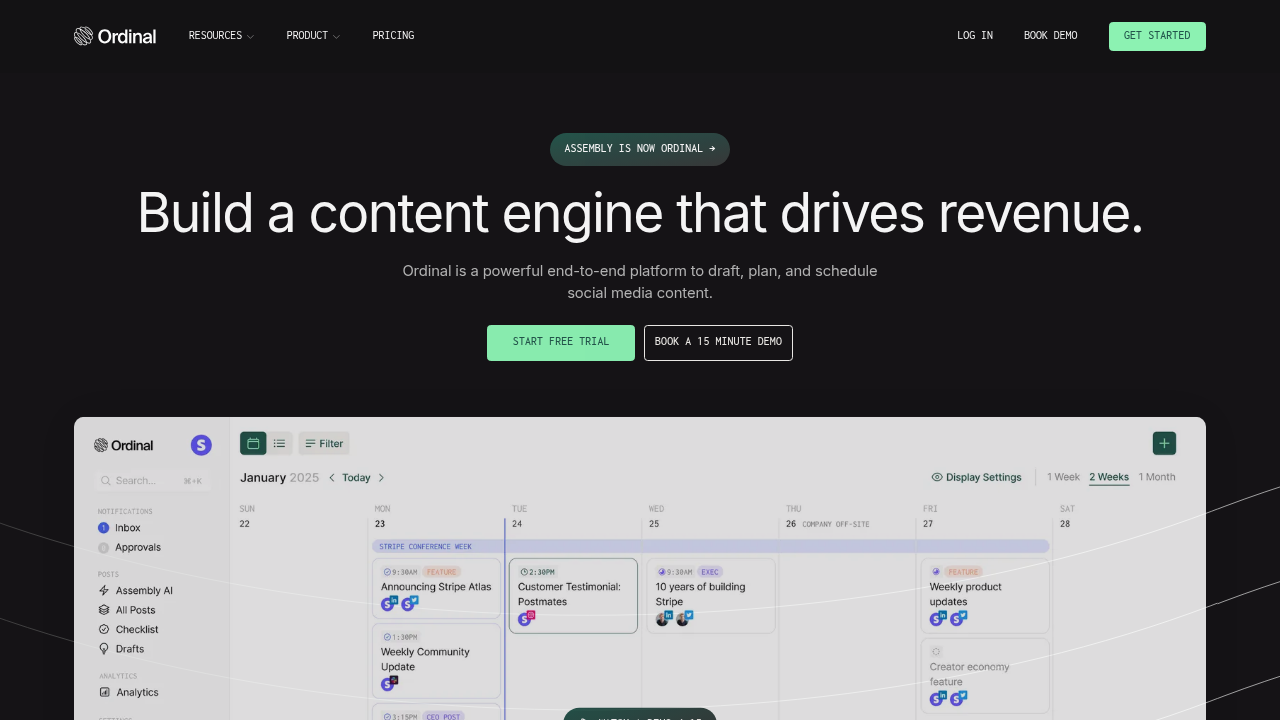
Ordinal is a true multi-channel social media management solution for consumer and B2B teams that want to turn social content into real business results. The tool combines planning, collaboration, publishing, and analytics with unique auto-engagement features designed to maximize reach on LinkedIn and Twitter.
Key Features
- True multi-channel publishing – Comprehensive multi-channel support (LinkedIn, Twitter, Instagram, Facebook, TikTok, YouTube) with realistic post previews and one-click cross-posting
- Collaborative content creation – Notion-like content editor with inline collaboration and robust approval workflows
- Automated engagement amplification – Auto-engagement features including auto likes, auto comments, auto reposts (LinkedIn and Twitter), and Slack boost notifications to jumpstart content momentum
- Deep LinkedIn analytics – Comprehensive LinkedIn analytics showing engagement patterns, content performance trends, and audience behavior insights
LinkedIn-first features built for B2B teams:
- Advanced post formatting – Native support for bold, italics, and proper line breaks that display correctly on LinkedIn (unlike basic schedulers that strip formatting)
- Carousel post creation – Built-in carousel builder for creating multi-slide LinkedIn posts without needing external design tools
- Profile and company page tagging – Tag other LinkedIn profiles and company pages directly in posts to increase visibility and notify mentioned accounts
- Document and media attachments – Upload PDFs, presentations, and other documents directly to LinkedIn posts for lead generation and content distribution
- Poll creation and scheduling – Create and schedule LinkedIn polls to drive engagement and gather audience insights
- Newsletter integration – Schedule and publish LinkedIn newsletter articles directly from the platform
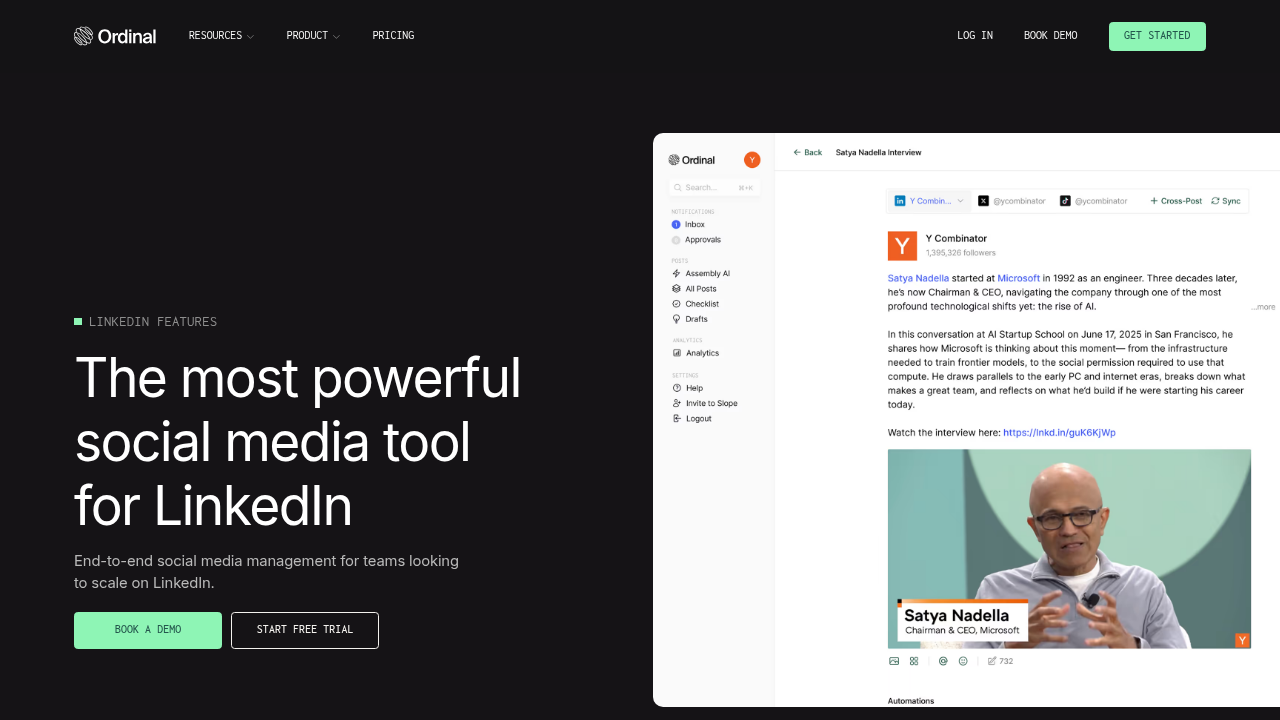
- Realistic LinkedIn previews – See exactly how your post will appear on LinkedIn, including the "see more" cutoff point, before publishing
Best for: B2B software and tech companies, LinkedIn-focused ghostwriting agencies, and organizations that need team collaboration, employee advocacy, and the ability to tie social media activity to revenue outcomes.
Bottom line: We're the best Letterdrop alternative for teams that need more than LinkedIn-only functionality and want a complete social media operating system with planning, engagement automation, and analytics that connect social activity to business results. With only 3% of LinkedIn's 1.1 billion members posting content weekly, consistent creators have a massive advantage. Ordinal's LinkedIn-first features help you capitalize on this opportunity.
Buffer
Buffer is a lightweight social media scheduling tool designed for individuals and small teams needing basic posting functionality across multiple channels.
Pros
- Simple scheduling interface for planning posts across social channels
- Basic calendar view for content organization
- Multi-channel support including LinkedIn, Twitter, Instagram, and Facebook
- Lightweight analytics showing engagement metrics
Cons
- Scheduling-only tool – Requires content to be fully ready before scheduling with no collaborative drafting capabilities
- No inline collaboration – Lacks inline comments functionality for team feedback and editing
- Missing approval workflows – No robust approval system for content review and sign-off
- No campaign planning – Provides no campaign planning features or content bucket organization
- Zero engagement automation – Offers no auto-engagement capabilities to boost content reach
- Surface-level analytics – Delivers only lightweight analytics without content bucket analysis or performance filtering
LinkedIn capabilities:
- Basic LinkedIn post scheduling for profiles and company pages
- Simple text posts with image attachments
- Queue-based scheduling system
LinkedIn limitations:
- No support for LinkedIn carousels or document attachments
- Strips formatting like bold and italics from posts
- Cannot tag other profiles or company pages in posts
- No LinkedIn newsletter integration
- No poll creation functionality
- Limited LinkedIn-specific analytics beyond basic engagement counts
Good for: Individual content creators and very small teams with straightforward scheduling needs and limited budgets.
Bottom line: Buffer works for basic individual scheduling, Ordinal delivers the collaborative planning, auto-engagement workflows, and deep analytics that teams need to drive real results. See our full comparison of Buffer alternatives for marketing teams.
Sprout Social
Sprout Social positions itself as an enterprise social media management solution with broad scheduling capabilities and polished reporting dashboards.
Pros
- Multi-channel publishing across major social networks
- Social listening and monitoring features
- Customizable analytics dashboards
- Customer service inbox for managing social messages
Cons
- Unintuitive calendar – Content calendar is functional but unintuitive for planning and organization
- Shallow collaboration – Collaboration features are shallow and feel secondary to reporting
- Rigid approvals – Approval workflows are rigid and inflexible for different team structures
- Reporting-first mindset – Planning feels secondary to reporting, not built for content operations
- No amplification tools – Provides no auto-engagements or amplification workflows, treating publishing as the finish line
- Vanity metrics focus – Analytics emphasize impressions and surface-level metrics, making it hard to answer what content actually works
LinkedIn capabilities:
- LinkedIn post scheduling for profiles and company pages
- Basic text and image posts
- Standard engagement metrics in reports
- Profile and page tagging support
LinkedIn limitations:
- No native carousel post builder (requires external tools)
- Limited document attachment support
- No LinkedIn newsletter scheduling
- Cannot create or schedule LinkedIn polls
- Post formatting often displays incorrectly
- Analytics focus on surface metrics rather than actionable LinkedIn insights
- No identification of which specific profiles engage with content
Good for: Large enterprises that prioritize reporting dashboards and need customer service functionality alongside social publishing.
Bottom line: Sprout looks enterprise-ready but execution is shallow. Ordinal is built for teams that treat social as a real growth channel, with planning-first philosophy, auto-engagement capabilities, and LinkedIn-native features that Sprout cannot match. Explore more Sprout Social alternatives for 2025.
Hootsuite
Hootsuite is a legacy enterprise social media management tool offering broad scheduling capabilities across multiple networks with a focus on large organizations. Read our detailed Hootsuite reviews, pricing, and alternatives.
Pros
- Multi-channel scheduling across major social networks
- Social listening and monitoring tools
- Team collaboration with user permissions
- Reporting and analytics dashboards
Cons
- Dated interface – Interface feels dated and cluttered compared to modern tools, making simple tasks unnecessarily complex
- Poor calendar UX – Content calendar is functional but lacks intuitive campaign planning or visual organization
- Bolted-on collaboration – Collaboration features exist but feel bolted-on rather than native to the workflow
- No engagement automation – Provides no auto-engagement capabilities to amplify content reach, treating publishing as the end goal
- Vanity metrics only – Analytics focus on vanity metrics like impressions and follower counts without helping teams understand what content actually drives business results
- No engagement insights – Cannot identify which specific accounts engage with your posts for sales follow-up
LinkedIn capabilities:
- LinkedIn post scheduling for profiles and company pages
- Basic text and media posts
- Profile tagging in posts
- Standard engagement tracking
LinkedIn limitations:
- No carousel post creation tools
- Limited support for document attachments
- No LinkedIn newsletter integration
- Cannot schedule LinkedIn polls
- Formatting issues with bold/italics in posts
- Clunky interface makes LinkedIn-specific workflows cumbersome
- Analytics don't show which individual profiles engage with content
- No advanced LinkedIn insights or performance breakdowns
Good for: Large enterprises with dedicated social media teams that need basic multi-channel scheduling and have budget for enterprise software.
Bottom line: Hootsuite works if you need basic enterprise scheduling across channels. Ordinal is for teams that treat social as a real growth channel. Our modern interface, collaborative planning workflows, auto-engagement features, and LinkedIn-native capabilities deliver what Hootsuite's legacy architecture cannot match at a more accessible price point.
Feature Comparison: Letterdrop vs Top Alternatives
The table below breaks down how Letterdrop compares to Ordinal and other alternatives across the capabilities that matter most for B2B teams managing social content.
Letterdrop's unique strength is Gong integration for sales teams. However, its single-channel focus and high price point create gaps for teams needing comprehensive social media management.
We built Ordinal to fill those gaps with multi-channel support, collaborative workflows, and auto-engagement features that amplify reach without the enterprise price tag.
Why Ordinal is the Best Letterdrop Alternative
Letterdrop solves a narrow problem well: turning sales call recordings into LinkedIn posts. But that single-channel, sales-call-centric approach falls short for teams running real social media programs.
We built Ordinal to solve the broader challenge of managing social content as a coordinated growth channel. You get the same social-to-CRM integration and LinkedIn publishing capabilities that make Letterdrop valuable, but without the channel restrictions or enterprise pricing that limits who can use it effectively.
The difference comes down to four areas where Ordinal delivers what Letterdrop cannot.
First, multi-channel execution. We support LinkedIn, Twitter, Instagram, Facebook, TikTok, and YouTube from one interface with realistic post previews and one-click cross-posting. Teams managing comprehensive social programs need this flexibility, not a LinkedIn-only tool that requires additional software for other channels.
Second, auto-engagement workflows that amplify reach (LinkedIn and Twitter). Our auto likes, auto comments, auto reposts, and Slack boost notifications coordinate team engagement to jumpstart content momentum. Letterdrop offers coordinated likes, but we go further with automated first comments and reposts that help content gain algorithmic traction across networks.
Third, collaborative planning built for teams. Our Notion-like editor with inline comments, flexible approval workflows, and campaign-level calendar planning support how modern marketing teams actually work. Letterdrop's workflows feel rigid by comparison, designed more for individual sales reps than collaborative content operations.
Fourth, LinkedIn-native capabilities that go beyond basic scheduling. We built advanced LinkedIn features that Letterdrop lacks: native carousel post creation without external design tools, proper formatting support for bold and italics that displays correctly on LinkedIn, profile and company page tagging to increase visibility, document and PDF attachments for lead generation, poll creation and scheduling, and LinkedIn newsletter integration. Our realistic LinkedIn previews show exactly how your post will appear including the "see more" cutoff point before you publish. These LinkedIn-specific features matter because they eliminate the need for workarounds and external tools that slow down your content workflow.
The bottom line: if you're a sales team mining Gong calls exclusively for LinkedIn content, Letterdrop might suffice. But for B2B marketing teams, agencies, and companies treating social media as a real revenue channel, we provide the comprehensive planning, multi-channel execution, and engagement automation that Letterdrop simply does not offer.
Final thoughts on selecting content management software
Most teams outgrow single-channel tools quickly once they start treating social content as a real growth channel. We built Ordinal as the Letterdrop alternative for consumer and B2B companies that need LinkedIn excellence plus Instagram, Twitter, Facebook, TikTok, and YouTube support. You get collaborative planning, auto-engagement workflows, and comprehensive analytics without the enterprise price tag. See if what we've built matches how your team actually works.
FAQ
What should you look for when evaluating Letterdrop alternatives?
Prioritize multi-channel support if you publish beyond LinkedIn, collaborative workflows with inline comments and flexible approvals, and auto-engagement features that amplify reach through coordinated team activity. Also consider whether the tool connects social engagement data to your CRM for pipeline attribution.
When does it make sense to switch away from Letterdrop?
Consider switching if you need to manage social content across Instagram, TikTok, Facebook, or YouTube in addition to LinkedIn, if the $995/month price point strains your budget, or if you require deeper analytics that show which specific accounts engage with your content. Teams without Gong integrations or sales call recordings to mine for content will also find better value elsewhere.
How does Ordinal handle LinkedIn content differently than Letterdrop?
We provide the same LinkedIn publishing and social-to-CRM integration that Letterdrop offers, but add auto-engagement workflows (auto likes, comments, reposts, and Slack boost notifications) that coordinate team activity to jumpstart content momentum. Our advanced LinkedIn insights show exactly which individual profiles engage with your posts, and we support multi-channel publishing so you can manage all social content from one interface.
Can you manage multiple client accounts with social media management tools?
Yes, tools built for agencies and teams support managing dozens of client profiles from one dashboard. We designed Ordinal specifically for this use case with client-wise organization, quick profile switching, and scalable multi-account management that handles personal LinkedIn profiles, company pages, and accounts across all major social networks without requiring separate logins.
Related Posts
Looking to learn more? The below posts may be helpful for you to learn more about social media and content marketing.