
Your LinkedIn presence matters for building credibility and attracting talent, but finding time to post consistently is tough when you're running a company. That's the reality for most executives. LinkedIn scheduling tools for executives change this by letting you batch-create content and automate posting throughout the week. Instead of manually posting whenever you remember, you can plan your thought leadership strategy in advance. This means maintaining visibility on LinkedIn without it becoming another burden on your already packed schedule. Here, we'll compare the top LinkedIn scheduling tools to help you find the right solution for your executive content program.
TLDR:
- Executive LinkedIn scheduling tools let you batch-create content and automate posting
- Ordinal offers ghostwriter collaboration, approval workflows, and auto-engagement features
- Most tools lack LinkedIn-specific features like accurate previews and engagement automation
- Ordinal connects LinkedIn activity to business outcomes
What are LinkedIn scheduling tools for executives?
LinkedIn scheduling tools for executives are software solutions that enable leaders to plan, draft, and automate their LinkedIn content ahead of time.
Rather than posting manually whenever inspiration strikes, these tools let you batch-create posts and schedule them for optimal times throughout the week.
For busy executives, this capability is critical. You're juggling board meetings, investor calls, and team leadership. Finding time to post consistently on LinkedIn shouldn't add to that burden.
Executive visibility on LinkedIn matters more than ever for building credibility, attracting talent, and establishing thought leadership in your industry. The opportunity is clear: with only 1% of LinkedIn's 310 million monthly active users posting content weekly, consistent posting gives executives a significant competitive advantage in reaching their professional network.
How we ranked LinkedIn scheduling tools for executives
We assessed each option using six criteria that matter for executive LinkedIn success.
- Collaboration features. Most executives create content with ghostwriters, marketing teams, or agencies. The ability to draft, comment, and refine posts together determines how well a tool fits real workflows.
- Approval workflows. Brand protection is non-negotiable for leaders. Tools need review processes before content goes live with an executive's name attached.
- Scheduling and calendar capabilities. With over 1 billion people in more than 200 countries who use LinkedIn, timing affects visibility. We looked for tools that suggest optimal posting windows and provide clear calendar views.
- Engagement automation. Features like auto-comments, auto-reposts, and team notification systems help posts gain early traction, signaling to LinkedIn's algorithm to distribute content more widely.
- LinkedIn-specific features. Support for native formats like carousels, document posts, and polls. Proper preview rendering that accounts for LinkedIn's "see more" cutoff.
- Analytics tied to business outcomes. Basic metrics are table stakes. We prioritized tools that show who engaged with posts, enabling sales follow-up and pipeline attribution.
Most scheduling tools are built for social managers. Executive programs break because they require delegation, approvals, and accountability. This guide ranks tools on those realities, not feature checklists.
Best Overall LinkedIn Scheduling Tool for Executives: Ordinal
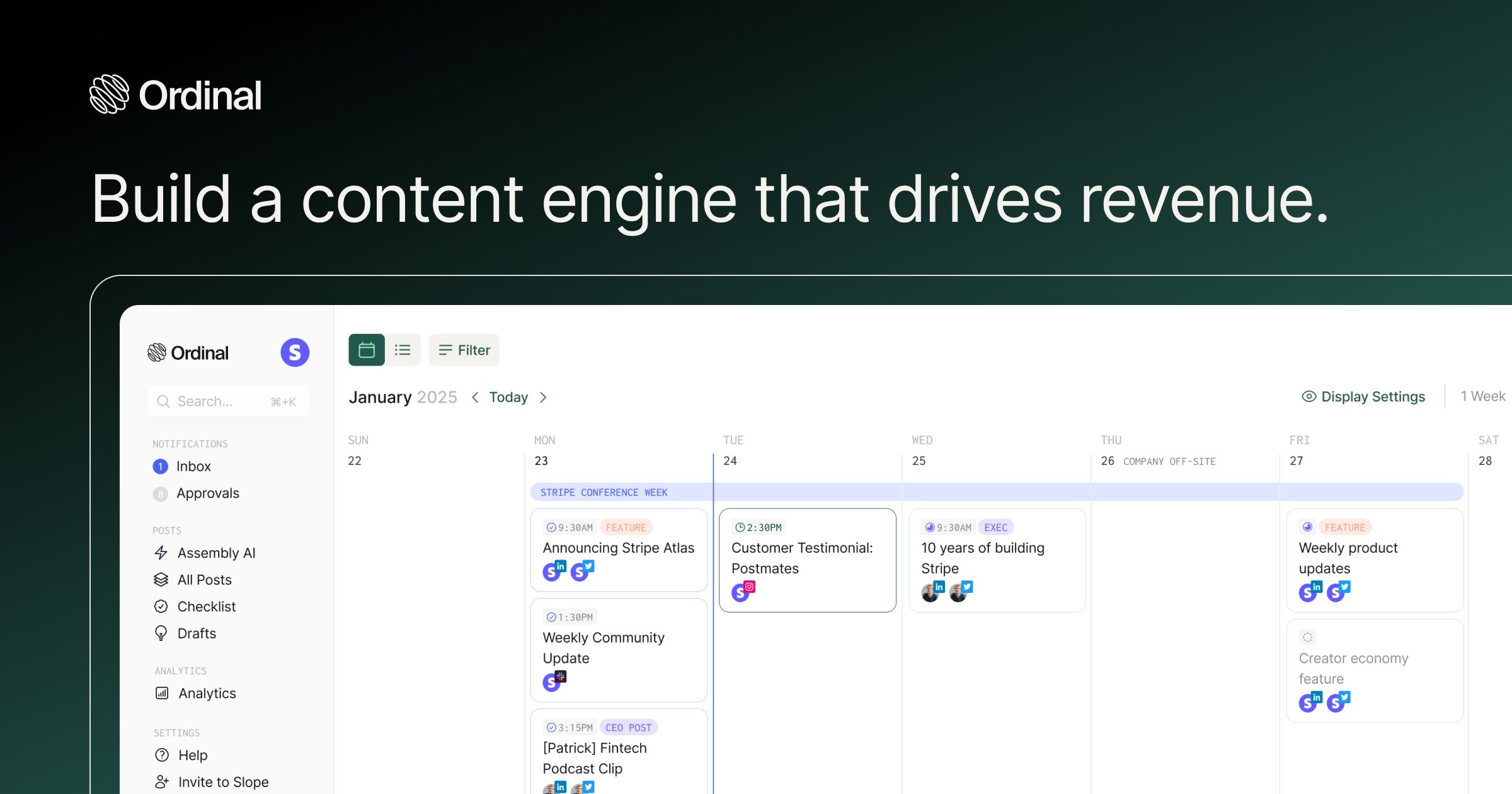
Ordinal is a LinkedIn-first social media management platform built specifically for teams running strategic executive thought leadership programs, with native features that other multi-channel tools treat as afterthoughts. It has LinkedIn-first features that make it the obvious choice for executive LinkedIn scheduling. It combines ghostwriter collaboration with inline editing, customizable approval workflows, engagement automation through coordinated likes and reposts, and detailed performance analytics - enabling teams to maximize the reach and impact of executive social content.
Key Features
- Executive-focused workflow with streamlined approvals – Built for leadership teams to maintain professional presence across major social media platforms without hours of effort. Content creation, feedback, and sign-offs happen in one centralized location, eliminating email chains and Slack threads.
- Delegation and approval controls – Grant your team or ghostwriters the ability to draft content while maintaining final approval authority over what gets published on your behalf. Security and approval rules exist so that a post will never get published without you seeing it first.
- Automated engagement for visibility – Schedule strategic likes and comments from your account to boost post visibility and maintain authentic network engagement without manual effort.
- Real-time performance tracking – Monitor thought leadership content immediately with meaningful metrics: engagement rates, audience growth, post reach, and content performance trends.
- Strategic content calendar – Plan executive communications across weeks or months in one shared calendar, maintaining consistent visibility without last-minute content scrambling.
LinkedIn Specific Pros
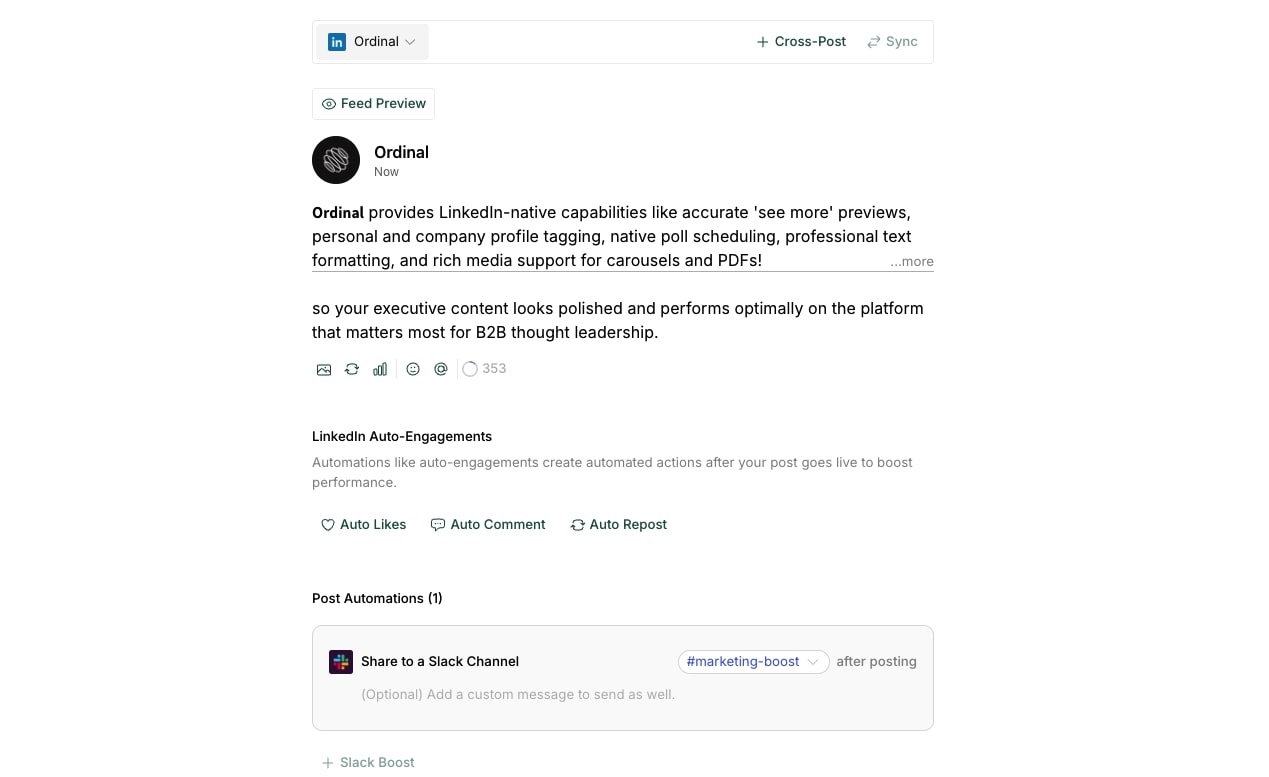
Ordinal provides LinkedIn-native capabilities like accurate 'see more' previews, personal and company profile tagging, native poll scheduling, professional text formatting, and rich media support for carousels and PDFs - so your executive content looks polished and performs optimally on the platform that matters most for B2B thought leadership.
- Auto-Engagements – Automatically engage with your network through scheduled likes, comments, or reposts from your LinkedIn account. Maintain visibility and relationship-building without constant manual engagement.
- Personal & Company Profile Tagging – Tag both individual professionals and company accounts directly in your posts. Recognize partners, team members, customers, or industry peers naturally within your executive content.
- Native LinkedIn Polls – Schedule and publish LinkedIn Polls to gather insights from your network, spark conversations, or gauge sentiment on industry topics—all without leaving Ordinal.
- Accurate Post Previews – See exactly how your LinkedIn post will appear before publishing, including where the "see more" cutoff occurs. Craft compelling hooks that drive engagement from your professional network.
- Professional Text Formatting – Use bold and italic formatting to emphasize key points in your executive communications. No need for workarounds or pasting pre-formatted text.
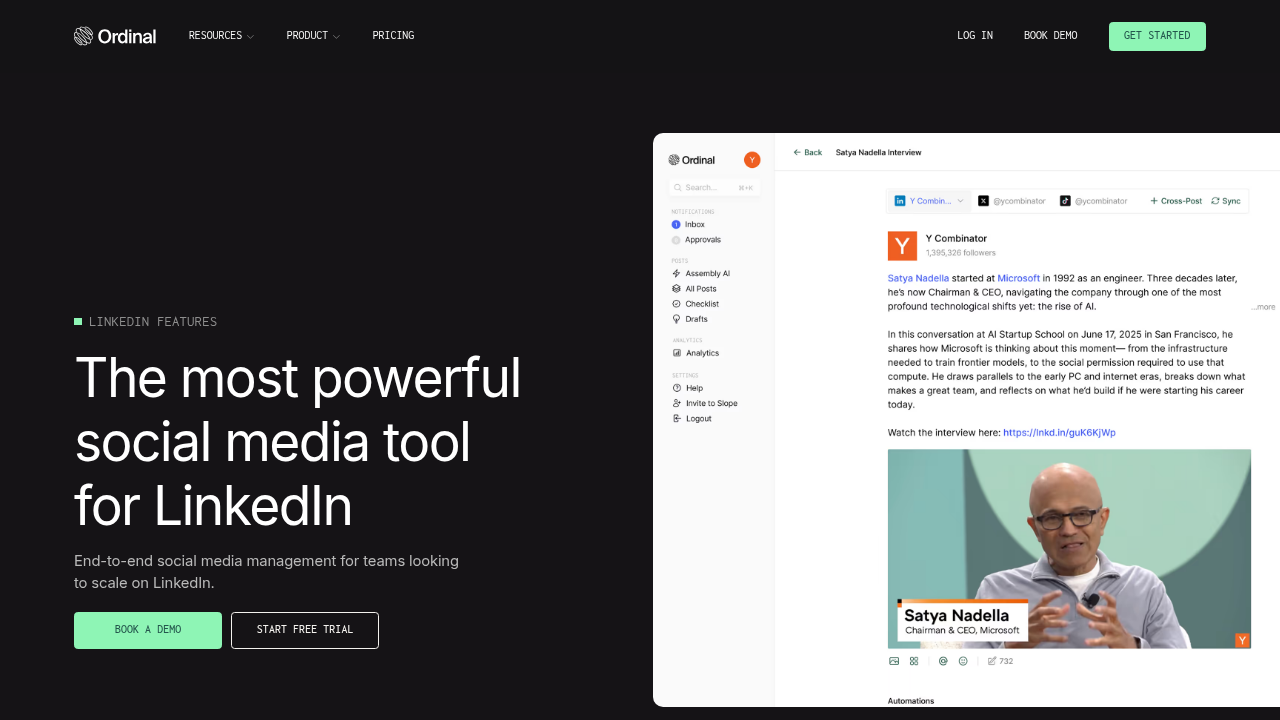
- Rich Media Support – Attach videos, PDFs (carousels), or images to your LinkedIn posts. Share presentation slides, executive updates, or visual content that strengthens your message.
- One-Click Cross-Platform Distribution – Repurpose your LinkedIn thought leadership to other platforms instantly. Ordinal automatically adapts your content for Twitter/X, Instagram, or other channels where your audience engages.
- Comprehensive LinkedIn Analytics – Access performance data for both your personal profile and any company pages you manage. Track engagement trends, audience growth, and content effectiveness over any time period.
- Analytics Export for Reporting – Download CSV files containing your LinkedIn performance data. Share insights with your team, board, or communications advisors, or conduct deeper analysis in your preferred tools.
Why choose Ordinal
Ordinal handles the entire executive LinkedIn workflow, turning executive social presence into a strategic growth channel with comprehensive coordination and automation than just scheduling posts.
Hootsuite
Hootsuite is a legacy social media management solution that handles multi-channel scheduling across numerous platforms including LinkedIn, Facebook, Twitter, and Instagram. For executive LinkedIn scheduling, it provides basic multi-profile management and bulk scheduling capabilities, but lacks specialized features like engagement automation, accurate formatting previews, and the collaborative workflows that executive thought leadership programs require.
Pros
- Multi-profile LinkedIn management allows handling multiple executive and company accounts from one platform
- LinkedIn Company Page analytics provide basic performance tracking for corporate accounts
- Bulk scheduling for LinkedIn enables planning multiple posts at once to maintain consistency
- LinkedIn ad integration connects organic and paid content management in one place
Cons
- Rigid approval workflows create bottlenecks and delay timely executive content
- No engagement automation to boost early post traction through coordinated team activity
- Limited collaboration features force teams to coordinate across multiple tools outside the platform
- Surface-level analytics miss individual engager intelligence and prospect engagement data
- Inaccurate LinkedIn formatting preview makes crafting effective hooks difficult
- No support for LinkedIn-native features like carousels, document posts, or accurate character count for the 'see more' cutoff
- Clunky interface designed for high-volume posting rather than strategic executive content
Hootsuite is for large enterprises managing multiple brand accounts across numerous channels, with separate processes already in place for executive content.
Sprout Social
Sprout Social is an enterprise social media management platform that offers multi-channel publishing with team collaboration and approval routing, plus analytics dashboards and social listening. For executive LinkedIn scheduling, it provides approval workflows and team coordination features, but the rigid processes and surface-level analytics miss the engagement automation and individual prospect intelligence that executive thought leadership programs need to drive business outcomes.
Pros
- Multi-channel publishing lets executives maintain presence across LinkedIn and other platforms from one dashboard
- Team collaboration features allow ghostwriters and marketing teams to coordinate on executive content
- Approval workflows route posts through review processes before publishing under executive names
- Analytics dashboards provide visual reports suitable for presenting social activity to stakeholders
- Social listening capabilities help executives stay informed about industry conversations and brand mentions
Cons
- Rigid approval workflows create bottlenecks that delay timely executive content when quick adjustments are needed
- No engagement automation features to coordinate team likes and comments that boost early post traction
- Analytics show surface-level metrics without identifying which individual prospects engaged with executive posts
- Inaccurate LinkedIn formatting previews make it difficult to craft effective hooks that work with the "see more" cutoff
- Doesn't support LinkedIn carousels or provide formatting preview for LinkedIn's unique 'see more' behavior
- High pricing tiers make it expensive for teams focused primarily on executive LinkedIn programs
- Limited LinkedIn-specific features compared to platforms built specifically for professional network content
Sprout Social is for teams needing polished reporting dashboards to show social activity to stakeholders, not teams running executive LinkedIn programs that drive business outcomes.
Buffer
Buffer is a lightweight scheduling solution built for individuals or very small teams that need simple posting capabilities. For executive LinkedIn scheduling, it offers basic calendar views and straightforward post scheduling, but lacks the collaboration features, approval workflows, and engagement automation that executive thought leadership programs require.
Pros
- Simple, intuitive interface makes basic post scheduling quick and easy to learn
- Affordable pricing suitable for solo executives or very small teams with limited budgets
- Clean calendar view shows scheduled LinkedIn posts at a glance
- Browser extension allows scheduling content directly while browsing LinkedIn
Cons
- No collaboration features for working with ghostwriters, marketing teams, or agencies on executive content
- Missing approval workflows means no review process before posts go live under executive names
- No engagement automation capabilities to coordinate team amplification of executive posts
- Basic analytics provide only surface-level metrics without identifying individual engagers for sales follow-up
- Limited LinkedIn-specific features like carousel support or accurate "see more" preview rendering
- No campaign planning tools for organizing strategic executive thought leadership programs
Buffer is for solo founders who draft all their own content and need only basic scheduling without team involvement.
Typefully
Typefully is a minimalist writing tool designed for solo creators who compose threads and distribute them across X, LinkedIn, Threads, Bluesky, and Mastodon from a clean, distraction-free interface. For executive LinkedIn scheduling, it offers basic thread composition and cross-posting, but lacks the collaboration features, approval workflows, and engagement automation that executive thought leadership programs require.
Pros
- Clean writing interface optimized for crafting engaging text-based content
- Thread composer helps structure longer-form thought leadership into digestible posts
- Analytics show basic engagement metrics for published content
- Affordable pricing for individual users managing their own accounts
Cons
- No collaboration features for working with ghostwriters or marketing teams on executive content
- Missing approval workflows means no review process before posts go live under executive names
- No engagement automation to coordinate team amplification of executive posts
- Built primarily for Twitter with LinkedIn support as a secondary feature
- Limited LinkedIn-specific capabilities like carousel support or proper formatting previews
- No multi-account management for teams handling multiple executive profiles
Typefully is for solo creators focused on X, LinkedIn, Threads, Bluesky, and Mastodon, who draft all their own content without team coordination needs.
Oktopost
Oktopost is a B2B-focused social media management platform that integrates with marketing automation tools and emphasizes employee advocacy programs. For executive LinkedIn scheduling, it offers multi-account management and approval workflows, but the rigid processes and complex interface create friction for teams that need to move quickly with timely executive content.
Pros
- B2B-focused platform designed specifically for professional social media management
- Multi-account management handles multiple executive and company LinkedIn profiles
- Employee advocacy features enable team members to share and amplify executive content
- Integration with marketing automation platforms connects social activity to broader campaigns
Cons
- Rigid approval workflows create bottlenecks that slow down timely executive content adjustments
- Complex interface requires significant training and onboarding time for teams
- Limited engagement automation compared to platforms built for algorithmic distribution
- Limited LinkedIn-specific features like carousel support, formatting previews, or personal profile tagging
- Analytics focus on aggregate metrics than identifying individual prospect engagers
- High pricing makes it expensive for teams focused primarily on executive LinkedIn programs
- Clunky user experience slows down daily content operations and scheduling tasks
Oktopost is for established B2B enterprises that prioritize vendor integrations with existing marketing tech stacks and have dedicated resources to manage complex workflows.
CoSchedule
CoSchedule is a marketing calendar platform that combines project management with content scheduling across multiple channels, including social media, blogs, and email. For executive LinkedIn scheduling, it provides basic posting capabilities within a broader marketing workflow, but lacks the specialized collaboration features, engagement automation, and LinkedIn-specific analytics that executive thought leadership programs require.
Pros
- Marketing calendar provides centralized view of social content alongside other marketing activities
- Multi-channel scheduling allows planning LinkedIn posts with blog and email campaigns
- Team task management helps coordinate content creation across marketing departments
- ReQueue feature can automatically refill posting schedule with evergreen content
Cons
- Social features feel secondary to broader marketing project management focus
- Limited collaboration capabilities for ghostwriter-executive content workflows
- No engagement automation to coordinate team amplification of executive posts
- Basic LinkedIn analytics without individual engager identification for sales follow-up
- Clunky interface adds friction to daily social content operations
- Missing LinkedIn-specific features like proper formatting previews and carousel support
CoSchedule is for marketing teams needing broad project management with basic social scheduling as a secondary function.
Cloud Campaign
Cloud Campaign is a social media management platform designed for agencies managing multiple client accounts with white-label capabilities and client-separated workspaces. For executive LinkedIn scheduling, it offers multi-account management and client approval routing, but the clunky interface and lack of engagement automation create friction for teams that need to execute executive thought leadership programs efficiently.
Pros
- Multi-account management handles multiple executive and company LinkedIn profiles from one platform
- White-label capabilities allow agencies to brand the platform for client use
- Client-separated workspaces keep executive content organized by account or brand
- Approval routing enables client review before posts go live under executive names
Cons
- Clunky interface creates friction for daily content operations and scheduling tasks
- No engagement automation features to coordinate team amplification of executive posts
- Limited collaboration capabilities for ghostwriter-executive content workflows
- Basic analytics without individual engager identification for sales follow-up
- Missing LinkedIn-specific features like proper formatting previews and carousel support
- Slow feature development compared to modern social media management platforms
Cloud Campaign is for agencies with tight budgets that prioritize low cost over execution speed and don't need sophisticated engagement automation.
Letterdrop
Letterdrop is a content platform focused on sales teams using LinkedIn for social selling and prospecting activities. For executive LinkedIn scheduling, it provides basic posting capabilities aimed at individual sales reps, but lacks the ghostwriter collaboration, approval workflows, and coordinated engagement automation that strategic executive thought leadership programs require.
Pros
- Sales-focused features help individual reps use LinkedIn for prospecting and social selling
- Basic scheduling capabilities allow planning LinkedIn posts in advance
- Content suggestions based on sales topics and industry trends
- Integration with CRM systems for tracking social engagement
Cons
- Built for individual sales reps rather than executive thought leadership programs
- No ghostwriter collaboration features for teams creating executive content
- Missing approval workflows means no review process before posts go live
- Limited engagement automation compared to platforms built for coordinated amplification
- Analytics focus on sales metrics rather than executive brand building and pipeline attribution
- No multi-account management for teams handling multiple executive profiles
Letterdrop is for sales organizations encouraging reps to post as part of social selling activities, where individual contributors manage their own LinkedIn presence without centralized coordination.
Feature Comparison Table for Best LinkedIn Scheduling Tools for Executives
Ordinal delivers complete capabilities across content collaboration, engagement automation, and LinkedIn-native execution, while competitors show gaps in workflow flexibility and analytics depth.
Why Ordinal is the best LinkedIn scheduling tool for executives
Executive LinkedIn success requires more than basic scheduling. Top LinkedIn creators post 2-4 times weekly to maintain visibility, but frequency alone won't drive results without strategic amplification and optimization.
Ordinal solves this through three core capabilities. Ghostwriters and executives collaborate in real-time through streamlined approval workflows. Auto-engagement jumpstarts algorithmic distribution across team networks. Analytics provide detailed insights into content performance and audience engagement.
What makes it stand out among all available tools is Ordinal's LinkedIn-specific features - accurate "see more" previews, personal and company tagging, professional formatting, and one-click cross-posting - ensure your executive brand looks polished across platforms without requiring social media expertise.
Legacy tools schedule posts. Ordinal gives executives a complete thought leadership system that works without consuming their time. For leadership teams serious about LinkedIn presence, that difference is everything.
Final thoughts on selecting the right LinkedIn tool for executives
The right LinkedIn tool should save executive time, not add complexity. Basic schedulers force you to choose between maintaining consistent thought leadership and focusing on running your business. Ordinal eliminates that tradeoff through delegation workflows, engagement automation, and analytics that optimize content performance. If your leadership team treats LinkedIn as a strategic priority rather than a posting obligation, the choice is clear.
FAQ
How do I choose the right LinkedIn scheduling tool for my executive team?
Start by evaluating your workflow needs: if you have ghostwriters or agencies creating content, prioritize tools with real-time collaboration and approval workflows. Then assess whether you need engagement automation to amplify posts or just basic scheduling. Finally, check the analytics capabilities—look for tools that provide detailed performance insights beyond basic vanity metrics.
Which LinkedIn scheduling tool works best for solo executives versus teams?
Solo executives who draft their own content can use lightweight tools like Buffer for basic scheduling. However, if you work with ghostwriters, marketing teams, or need approval processes before publishing, you need collaboration features and workflow management that tools like Ordinal provide. Team-based tools also offer engagement coordination that helps posts gain algorithmic traction.
Can LinkedIn scheduling tools help my posts get more visibility?
Yes, but only if they include engagement automation features. Tools with auto-comments, auto-likes, and team notification systems give your posts early engagement signals that trigger LinkedIn's algorithm to distribute content more widely. Basic schedulers only handle timing—they can't coordinate the team amplification that drives reach beyond your immediate network.
What's the difference between social media management tools and LinkedIn-specific schedulers?
Social media management tools like Hootsuite and Sprout Social handle multiple channels but treat LinkedIn as just another network without specialized features. LinkedIn-focused tools provide proper formatting previews, support for native content types like carousels and document posts, and detailed engagement analytics—capabilities that matter for B2B thought leadership but aren't priorities for generalist platforms.
How can I connect LinkedIn activity to actual business results?
Look for tools that provide detailed engagement analytics beyond likes and comments. The best platforms show engagement timing patterns, content type performance comparisons, and audience growth metrics that help you optimize your content strategy over time and understand what resonates with your professional network.
Related Posts
Looking to learn more? The below posts may be helpful for you to learn more about social media and content marketing.