
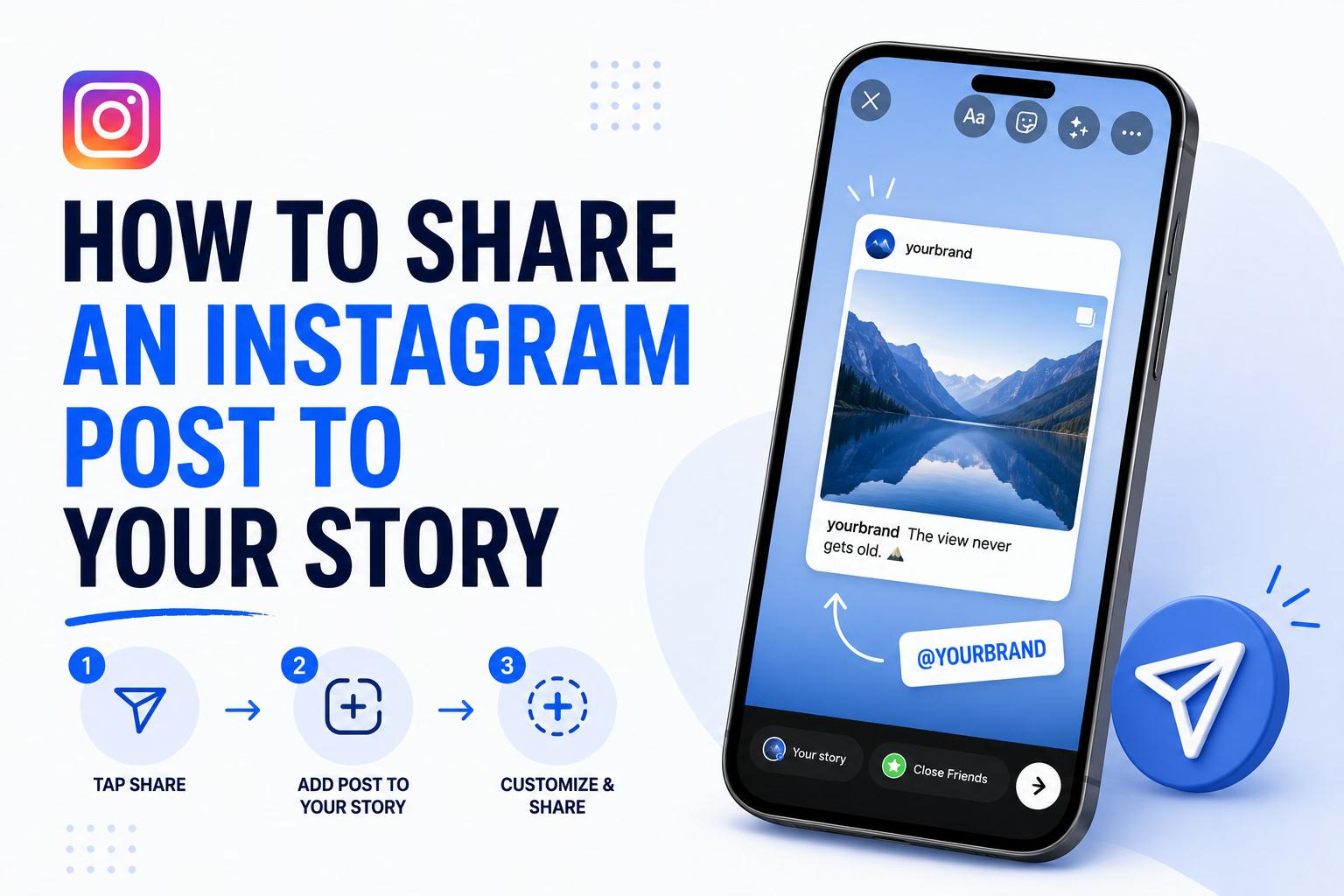
Sharing an Instagram post to your Story takes about three taps. Most people stop there, and then wonder why their reshares get five views.
Instagram post reach dropped 31% from 2024 to 2025, according to Metricool's 2026 Social Media Study. Shares and Story placements are now one of the primary algorithmic growth levers on the platform, not feed posts alone. Stories still reach a meaningful share of your followers daily, and reshares carry engagement signals the algorithm rewards.
So the question isn't really "how do I share a post to my Story." It's how to share it in a way that actually does something. Here's the full mechanics, format-by-format breakdown, troubleshooting for every common error, and the customization tactics that turn a three-tap reshare into a reach driver.
TL;DR
- Tap the paper airplane icon on any public post, then tap "Add post to your story"
- Carousels only share the first slide; Reels share as a preview clip, not the full video
- If the share option is missing, the poster disabled resharing or the account is private
- Adding an interactive sticker (poll, question, quiz) measurably lifts Story engagement and reach. This is the single highest-impact customization move
How to Share Someone Else's Instagram Post to Your Story
Tap the paper airplane icon below any public post, then tap "Add post to your story." The post opens as an editable Story frame with the original creator's username automatically attached as a tappable sticker.
From there, you can resize the post card, add stickers, type over it, or change the background color before tapping "Your Story" to publish. Two conditions have to be true for this to work: the account must be public, and the original poster must have resharing enabled. If "Add post to your story" doesn't appear, jump to the troubleshooting section below.
How to Share Your Own Instagram Post to Your Story
Open the post from your profile, tap the paper airplane icon, and select "Add post to your story." This works for any post you've published, including posts from months or years ago, which makes it genuinely useful for reposting your content when a product launch gets traction or an older piece stays relevant.
Unlike resharing someone else's post, your own reshares aren't dependent on any privacy setting. They always work.
Sharing Different Post Formats: What Changes
The mechanics are the same across formats, but what appears in the Story frame is not.
Photo Posts
Photo posts share as a tappable card showing the original image. These are the most flexible for customization. You can layer stickers and text without the card competing with motion or audio.
Carousel Posts
Only the first slide shares by default. If you want viewers to see subsequent slides, screenshot them individually and add them as separate Story frames, or include a text prompt pointing people to your grid.
Reels
Reels share as a static thumbnail or a short preview clip, not the full video. Most viewers won't see the full Reel play automatically. Add a sticker or text that says something like "full video on my profile" so the reshare functions as a trailer rather than a dead end.
Posts From Private Accounts
These can't be shared unless the account owner has explicitly enabled resharing. This is the most common reason the "Add post to your story" option disappears entirely.
Why Sharing Posts to Stories Is Worth Doing
Brand Stories average a 4.1% engagement rate versus 2.9% for feed posts, according to Zebracat's Instagram marketing statistics. That means resharing a post to your Story often outperforms the original post on engagement quality, not just visibility.
The algorithmic case is equally strong. The same Metricool data showing that 31% reach drop points to shares and DMs as the signals Instagram's algorithm now prioritizes for distribution. Check the best time to post to stack your reshares when your audience is most active. This isn't a passive distribution move. It's the mechanism the algorithm currently rewards most.
How to Customize a Shared Post for More Reach
The default reshare (post card, plain background, no additions) performs measurably worse than a customized one.
Adding an interactive sticker makes the biggest difference. Stories with poll stickers see 21% higher interaction rates than those without interactive elements, and Stories with interactive stickers generally see 15% more taps and replies, according to Zebracat's compilation of Instagram marketing benchmarks.
A poll sticker added in five seconds is a real reach lever, not a marginal one. The engagement signals from sticker interactions tell Instagram the content is worth showing to more of your followers.
Two other moves worth making: reposition the post card rather than leaving it centered on the default background, and add a one-line personal angle explaining why you're sharing it. Context drives taps in a way that a bare reshare never will.
Check Story dimensions before building out graphics to avoid cropping surprises.
If you're running a product launch or announcing something, pairing a Story reshare with a same-day Reel is worth building into your workflow. Reels drive the widest reach on the platform, and a Story reshare of that Reel within a few hours creates two algorithmic touchpoints from one piece of content.
Troubleshooting: Why You Can't Share a Post to Your Story
1. The "Add Post to Your Story" Option Is Missing
The most common cause is that the original poster turned off resharing. They can change this under Settings, then Privacy, then Sharing, by toggling "Allow sharing to Stories." The option is also unavailable for private accounts and posts shared only to a Close Friends list.
2. It Won't Share on iOS or Android
Force-close Instagram and reopen it. If that doesn't fix it, check that you're running the latest app version. On Android, clearing the app cache sometimes resolves it; on iOS, a reinstall is the cleaner fix.
3. My Story Share Looks Blank or Broken
The original post was likely deleted or set to private after you shared it. That severs the connection and leaves the Story frame empty. If the post is still live and it's still broken, it's a temporary rendering issue. Wait a few minutes and try again.
Final Thoughts
Sharing a post to your Story is three taps. Making that reshare work is a decision about timing, format, what you add on top, and how you pair it with the rest of your content that day.
Stories are where a significant share of Instagram's attention sits right now, and shares are how the algorithm rewards content in 2026. A bare reshare with no sticker, no context, and no same-day pairing leaves most of that reach on the table.
If you're managing Instagram for a brand or multiple accounts, scheduling Instagram Stories with Ordinal lets you plan Story content alongside feed posts so same-day pairings don't fall through the cracks. Teams like Gallery have used that kind of coordinated workflow to scale content volume without adding headcount. Build that into your content planning system and the three-tap reshare stops being an afterthought.
Frequently Asked Questions
Why Can't I Share Someone's Instagram Post to My Story?
The most common reason is that the original poster has disabled resharing under Settings, Privacy, Sharing, "Allow sharing to Stories." It also won't work if the account is private or the post was shared with a Close Friends list only. If the option is missing on a public post, update Instagram to the latest version.
How Do I Share an Instagram Reel to My Story?
Tap the paper airplane icon below the Reel, then tap "Add Reel to your story." It shares as a tappable card or short preview clip, not the full video. Add a sticker or text directing viewers to your profile to watch the complete Reel.
Can I Share a Carousel Post to My Story?
Yes, but only the first slide shares by default. To include additional slides, screenshot them and upload each one as a separate Story frame. Some third-party scheduling tools also support multi-frame Story sequences for more structured planning.
Why Does My Story Share Look Blank or Broken?
This usually means the original post was deleted or made private after you shared it. Force-close and reopen Instagram, then try again. If the problem persists, the source post is likely no longer available.
Does Sharing a Post to My Story Help With Reach?
Yes. Brand Stories average a 4.1% engagement rate compared to 2.9% for feed posts, according to Zebracat. Shares and Story placements are also among the primary algorithmic growth signals on Instagram in 2026, making this a real distribution decision, not a cosmetic move.
How Do I Let Others Share My Instagram Posts to Their Stories?
Go to Settings, Privacy, Sharing and toggle on "Allow sharing to Stories." This applies to all your public posts by default. Private accounts can't enable this option.
Can I Schedule a Post Share to My Story in Advance?
Instagram's native scheduler doesn't support scheduling Story shares. Third-party tools like Ordinal let you plan Story content alongside feed posts, making it easier to coordinate same-day Story and Reel pairings that drive stronger reach.
What's the Best Way to Customize a Shared Post in My Story?
Add an interactive sticker. Stories with poll stickers see 21% higher interaction rates, and interactive stickers generally drive 15% more taps and replies, according to Zebracat's compilation of Instagram benchmarks. Beyond that, resize the post card, add personal context explaining why you're sharing it, and consider pairing it with a same-day Reel to amplify reach further.
Related Posts
Looking to learn more? The below posts may be helpful for you to learn more about social media and content marketing.