Choosing a social media management tool for a B2B team comes down to something most feature lists dodge: whether the thing helps you prove social is working, or only helps you post. Publishing is table stakes now. What separates these eight platforms is everything that happens around the post, including approval workflows, LinkedIn-specific support, engagement automation, and whether the analytics connect to pipeline or stop at follower counts. The "At a glance" table below sorts them by fit, standout features, price, and rating, so start there if you're comparing quickly, then read the entries that matter to you.
At a glance
Ordinal is our own product. Its row uses the same sourced facts as every other tool, and it carries no rating we issued ourselves.
What Makes a Good Social Media Management Tool
Analytics That Reach Pipeline. Some tools stop at follower counts and engagement charts, while others tie social activity to leads, sales, or traffic. If proving business impact to leadership or clients is the job, look at whether reporting connects to something beyond the platform itself.
LinkedIn-Specific Depth. Coverage of LinkedIn varies sharply across these tools, from full personal-profile support with previews and carousel uploads to gaps in inbox, analytics, and video scheduling. For b2b teams where LinkedIn is the primary channel, this is a real differentiator rather than a footnote.
Approval and Agency Workflows. How a tool handles client sign-off and multi-brand management — in-app approvals, shared calendars, workspaces — determines whether agencies can operate at volume without routing everything through Slack or logging in and out of accounts.
Engagement Automation. Auto-engagement features like automated likes, comments, and reposts can save time but carry real compliance questions worth weighing before turning them on.
Reliability Track Record. Billing complaints, stuck uploads, posts skipping platforms, and expiring tokens show up repeatedly in reviews, and they matter as much as the feature list when you're relying on scheduled publishing every day.
Listening and Competitive Intelligence. Breadth of social listening — how many networks, review sites, and sources a tool monitors — separates platforms aimed at customer care and competitive tracking from those focused purely on scheduling.
Ordinal

Disclosure: Ordinal is our own product (this guide is published by Ordinal). Its entry sticks to what's verifiable on our site, and the competitors below get the same verified treatment.
Ordinal is an end-to-end platform for drafting, planning, and scheduling social content, built for teams who treat social as a revenue channel rather than a checkbox. According to Ordinal's homepage, it's used by 1,000+ modern marketing teams, and the audience it targets is specific: content agencies, founders and executives, social media managers, content marketers, and growth teams. What sets it apart from the rest of this list is depth on LinkedIn. Personal profile tagging, PDF carousel uploads, realistic previews that show exactly where the hook cuts off before "see more", and auto-engagement (likes, comments, and reposts fired from any connected account) are all part of the post creation flow, per Ordinal's LinkedIn product page.
For agencies running 20 to 40 client accounts, the operational math matters more than the feature list. Approvals route through the platform instead of Slack DMs, and you manage multiple brand accounts without logging in and out. The Pro plan includes unlimited seats at no additional cost, a meaningful difference from every per-user tool here. That tier also opens up API, MCP, and webhook access, so your posting history and performance data can be pulled into whatever AI tooling or custom dashboard you already use rather than sitting locked inside a vendor's UI.
Reddit coverage is limited and worth reading honestly. In an r/SocialMediaManagers thread on Hootsuite alternatives, one user argued that connecting multiple LinkedIn accounts as engagement-only profiles to auto-like and comment conflicts with LinkedIn's Professional Community Policies on inauthentic engagement and the User Agreement's rules on bots. Other users in the thread debated whether using Ordinal without the auto-engagement features raises the same issue. So if you're in a compliance-sensitive org, that's a conversation to have internally before you turn those specific features on. Beyond that thread, independent reviews weren't available from verified sources at the time of research.
Pricing: Starter is $95/mo ($85/mo annually) for up to 3 seats and 4 social profiles. Pro is $265/mo ($235/mo annually) with unlimited seats, unlimited scheduled posts, all-time analytics, automated engagement, and API/MCP/webhooks. Enterprise is custom and adds leads data, employee advocacy, SAML/SSO, and dedicated onboarding. Both paid tiers come with a 14-day free trial, per Ordinal's pricing page.
Verdict: The strongest pick if LinkedIn is your primary channel and you need the platform features other tools skip, especially at agency volume where unlimited seats changes the total cost.
Hootsuite
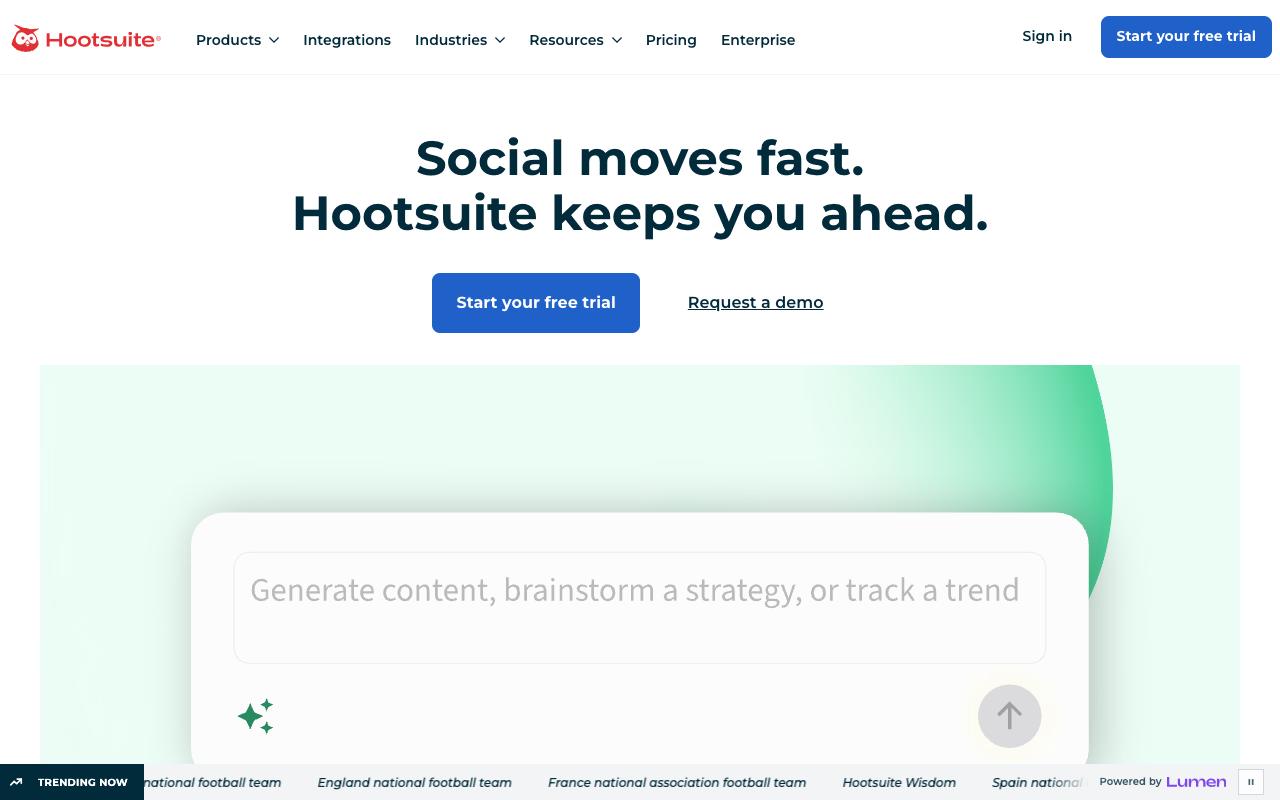
Hootsuite is the category's incumbent, built around publishing, engagement, analytics, and social listening in one dashboard. Its listening layer is the widest here, monitoring conversations across 30+ social networks, 300+ review sites, and 150+ million websites according to Hootsuite's features page, with AI that detects brand mentions inside images and video. It's aimed at large brands and marketing teams who need customer care and competitor tracking alongside scheduling.
Pros:
- Fast and easy to use for scheduling posts across multiple social accounts
- Widely recognized, established tool in the social media management category
Cons:
- Frequent billing complaints, including being charged after cancellation
- Poor and slow customer support, often routed through an unhelpful AI chatbot
- Reliability issues: bugs with video uploads, posts skipping platforms, and general instability
- Shortened Owly links can stop working after subscription cancellation
- Backlash over reported partnership with ICE led some long-time customers to cancel
Review sentiment is genuinely split depending on where you look, and the gap is worth explaining rather than averaging. On G2 it holds 4.3/5 across 7,321 reviews and Capterra shows 4.4/5, while TrustPilot sits at 1.3/5 across 554 reviews. Those TrustPilot reviews cluster around billing and support more than the software itself: billing disputes (one reviewer wrote "Every year I have to chargeback the amount with the bank"), support complaints ("Poor support. Period."), and reliability gripes describing the platform as "slow, buggy, unreliable." 2026 reviews there also reference backlash over a reported Hootsuite partnership with ICE, which prompted some long-time customers to cancel.
On the positive side, Jim Hansen wrote on LinkedIn that "I like Hootsuite. It is fast and easy to use," though he flagged that shortened Owly links stop working even when the post is still live. And in an r/SocialMediaMarketing thread with 69 comments, several people said it works for larger budgets but is pricey for small agencies, recommending cheaper alternatives instead.
Pricing: Standard is $99/mo per user for up to 10 social accounts, Professional is $199/mo per user for unlimited accounts and trend forecasting, Advanced is $399/mo per user and adds approval workflows and auto-routing, and Enterprise is custom with advanced listening, SSO, and compliance tools. Standard includes a 14-day trial with no credit card required, per Hootsuite's pricing page.
On Capterra, Hootsuite holds 4.4/5 (via Perplexity). Reviewers commonly praise time-saving centralized scheduling and monitoring across social networks and note learning curve and complexity compared to simpler social tools. See the Capterra reviews page.
On G2, Hootsuite holds 4.3/5 across 7,321 reviews (via Perplexity). Reviewers commonly praise robust multi-account social media management and scheduling capabilities and note pricing levels and support responsiveness for smaller teams and budgets. See the G2 reviews and pros and cons pages.
Verdict: Buy it for the listening and competitive intelligence if you have the budget, and read the billing complaints before you hand over a card.
Agorapulse
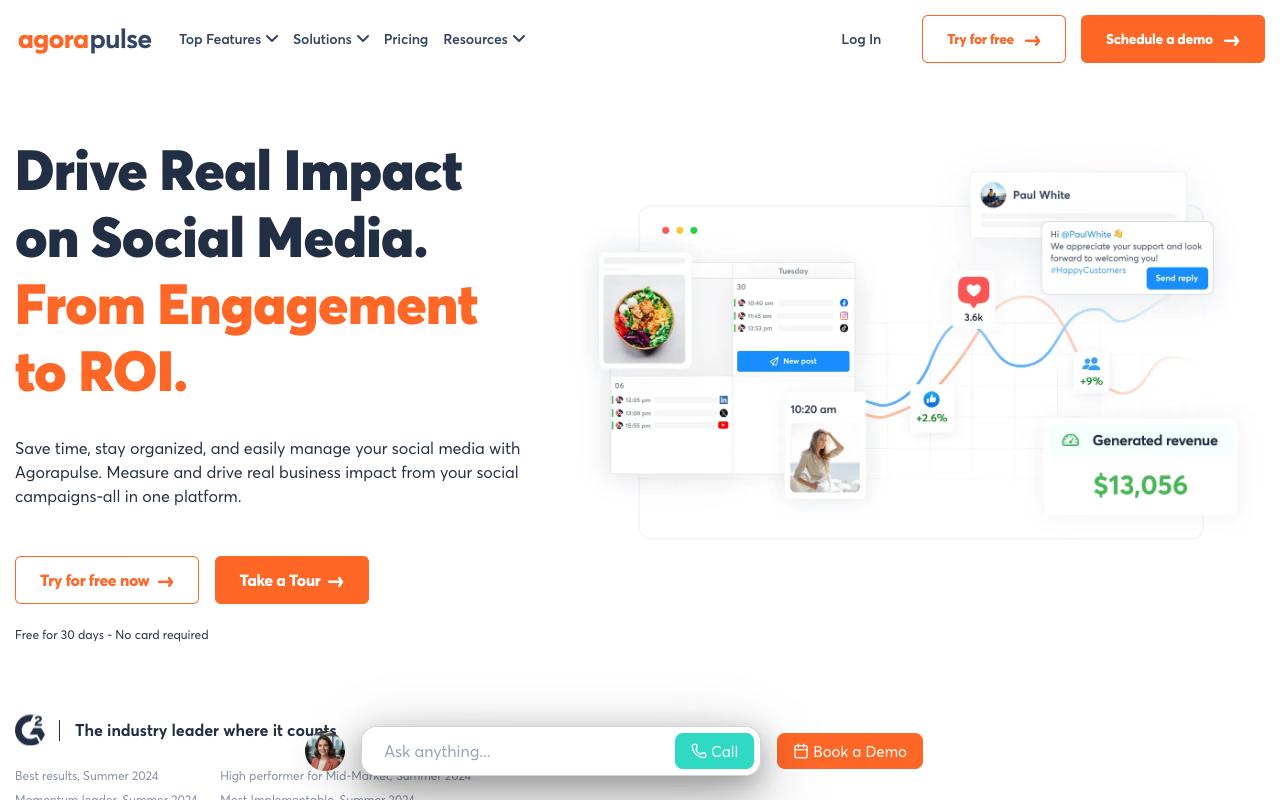
Agorapulse is built for social media managers and agencies who have to prove business impact rather than engagement numbers alone. Its Social ROI feature pulls data from Google Analytics to tie social activity to sales, leads, and traffic, which is the part most tools on this list handle poorly. The unified inbox, shared content calendars, and client approval workflow round out a package aimed squarely at people juggling multiple client accounts.
Pros:
- Easy to use / intuitive interface that requires little to no training
- Strong, responsive customer support (frequently called "top-notch")
- Unified social inbox makes community management across platforms easy
- Client approval workflow and shareable content calendars are a favorite for agencies
- Reporting/analytics (including Google Analytics integration) simplify proving ROI to clients
- Saves significant time on scheduling and reporting across many client accounts
Cons:
- Some users report reliability issues: expiring social-profile "tokens" and uploads getting stuck or failing to post
- Support can be slow to escalate beyond chatbot answers, with long waits for a live person
- Missing features for LinkedIn personal profiles (no inbox, analytics, or video scheduling)
- Can't schedule multi-image Instagram posts or Stories directly, and no in-app video captions/titles
- No automatic image compression, requiring manual resizing of large images
- Cost can be prohibitive for smaller accounts/teams, and overseas billing (France-based company) can add card fees
Reviewers back up the ROI and support claims. TrustPilot shows 4/5 from 57 reviews, G2 shows 4.5/5 from 973 reviews, and Capterra shows 4.6/5. Agencies on TrustPilot, some using it since 2015, call it a "massive time saver" and describe the interface as needing "no training required," with support repeatedly labelled "top-notch." A social media manager writing on LinkedIn Pulse said she chose Agorapulse over Sprout Social specifically because it supports managing personal LinkedIn profiles. In an r/socialmedia thread, a user who'd deployed it at two companies said it "does all the normal posting and scheduling very well" and praised cross-platform posting with per-platform copy tweaks; they hit a region-locking bug, and noted support "were very prompt with answering, admitted a fault and fixed it withing a week."
The cons are real though. LinkedIn personal profiles lack inbox, analytics, and video scheduling, you can't schedule multi-image Instagram posts or Stories directly, and some users report expiring profile tokens and stuck uploads.
Pricing: Standard is $99/mo per user ($79 annually), Professional is $149/mo ($119 annually), Advanced is $199/mo ($149 annually), each covering up to 10 social profiles. Custom pricing covers unlimited profiles with SSO and a dedicated CSM. There's a 30-day free trial with no credit card, per Agorapulse's pricing page.
On Capterra, Agorapulse holds 4.6/5 (via Perplexity). Reviewers commonly praise user-friendly social media management with a well-organized inbox and helpful support team and note pricing and plan constraints for smaller teams, plus occasional issues with certain platform integrations and scheduling features. See the Capterra reviews page.
On G2, Agorapulse holds 4.5/5 across 973 reviews (via Perplexity). Reviewers commonly praise ease of use, intuitive interface, and responsive customer support and note limitations around advanced reporting, analytics depth, and some feature gaps compared to larger suites. See the G2 reviews and pros and cons pages.
Verdict: The best option here for agencies who need to justify a retainer with real ROI numbers, provided LinkedIn personal profiles aren't your main workflow.
Sendible
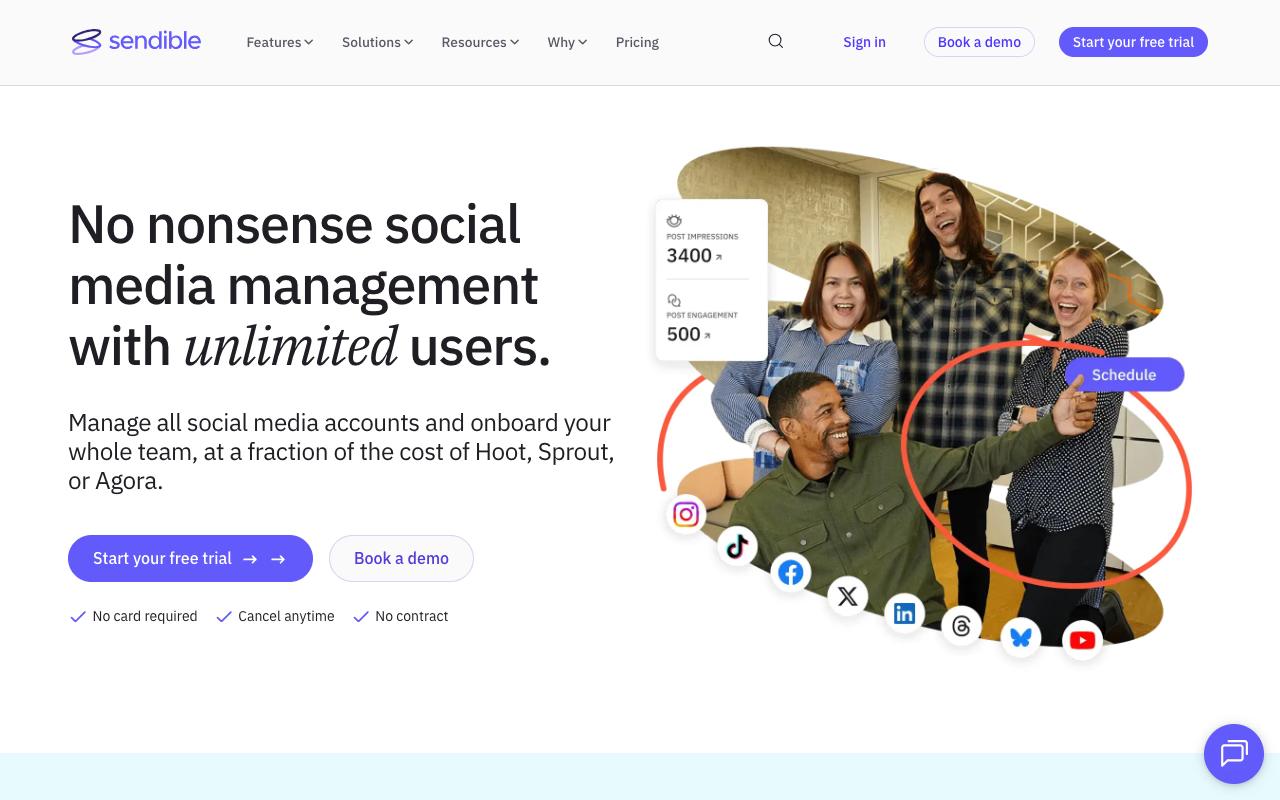
Sendible organizes its all-in-one platform around workspaces, which makes it a natural fit for agencies managing distinct client brands. Its homepage claims over 30,000 agencies, marketers, and brand managers use it. The feature set leans heavily into scheduling mechanics: bulk import for a month of content at once, smart queues that automatically republish evergreen posts, optimal-time scheduling, RSS scheduling, plus a built-in image and video editor that surfaces only network-relevant presets.
Pros:
- Easy to use, even for a one-person marketing team or small agency
- Efficiently manages multiple clients, locations, and platforms in one place
- Content calendar and 'best time to post' auto-scheduling are well liked
- Built-in Canva integration for quick graphic edits before posting
- Seen as good value compared to pricier competitors like Hootsuite
- Customer support/Customer Success Managers frequently praised as helpful
Cons:
- Occasional post-publishing reliability issues reported, especially on Instagram
- Billing/refund practices criticized (customers charged automatically with a strict no-refund policy)
- Difficulty downgrading subscriptions, with confusing steps and loss of functionality/users
- Post-sales support described as unhelpful by some despite generally positive support reviews elsewhere
- Advanced agency features like white-label reporting and approval workflows require significantly pricier plans
It's also the cheapest entry point on this list. TrustPilot gives it 4.2/5 from 23 reviews, G2 shows 4.5/5 from 899 reviews, and Capterra shows 4.5/5. Reviewers highlight ease of use for small teams ("Sendible's platform makes it easy for a one person marketing team to manage their social media presence online"), multi-location posting ("We have multiple locations we post for and it makes it so easy to choose specific locations or post to them all!"), and the auto best-time-to-post feature.
The reliability complaints are harder to dismiss. An r/SocialMediaMarketing thread titled "Best Sendible alternative in 2025?" opened with "Too many post fails lately, especially on Instagram," and commenters recommended Planable, Later, Buffer, and RecurPost rather than defending it. Billing gets flagged too, with reports of automatic charges under a strict no-refund policy and confusing downgrade steps.
Pricing: Core is $35/mo for 1 workspace and 6 social profiles, Plus is $99/mo for 3 workspaces and 18 profiles, Premium is $199/mo for 7 workspaces and 42 profiles, Elite is $299/mo for 15 workspaces and 90 profiles, and Enterprise is $750/mo for 50 workspaces and 300 profiles. All plans include unlimited users, annual billing saves 15%, and a 14-day trial is available with no card, per Sendible's pricing page.
On Capterra, Sendible holds 4.5/5 (via Perplexity). Reviewers commonly praise user-friendly scheduling and approvals workflows that save time for agencies and small businesses and note mobile app instability, limited functionality versus desktop, and higher pricing for smaller teams. See the Capterra reviews page.
On G2, Sendible holds 4.5/5 across 899 reviews (via Perplexity). Reviewers commonly praise ease of use and time-saving post scheduling for managing multiple social media accounts and note glitches and limitations in certain integrations, especially instagram and linkedin, plus occasional publishing and connectivity issues. See the G2 reviews and pros and cons pages.
Verdict: Good value for agencies who want workspace separation and unlimited users on a budget, with the caveat that white-label reporting and approvals sit on the pricier tiers.
Planable
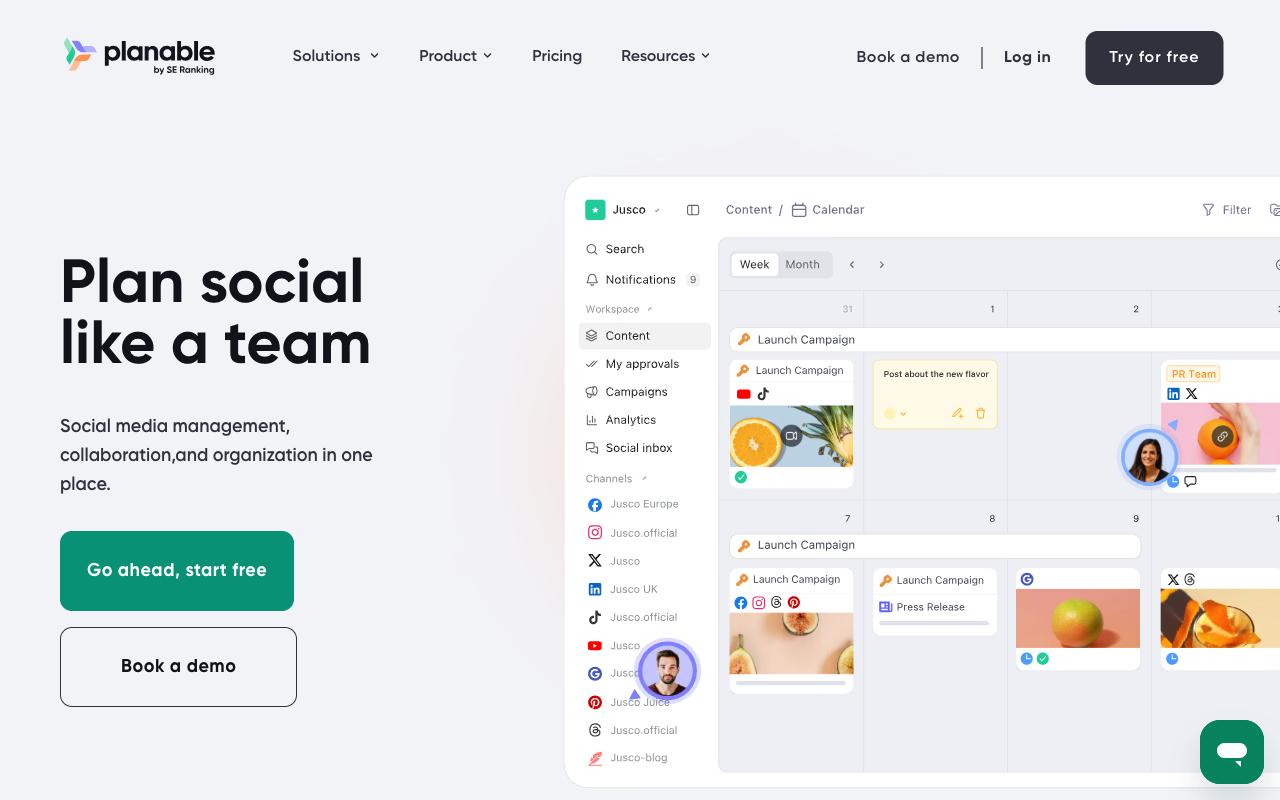
Planable is collaboration-first, built to kill the spreadsheet-and-email approval loop. It covers nine social networks plus blogs, newsletters, and campaign briefs through its Universal Content feature, so a single workspace can hold everything a client needs to review. Grouped posts let you write once and tweak per platform, version history shows who changed what, and the approval system offers up to multi-level chains on Enterprise. It's built for agencies, multi-location brands, and multi-brand companies.
Pros:
- Intuitive, easy-to-use interface for scheduling and planning posts
- Strong collaboration and client approval workflow that reduces email back-and-forth
- Visual calendar with drag-and-drop makes rescheduling easy
- Lets teams preview exactly how posts will look on each platform before publishing
- Good for straightforward, visual content planning and quick approvals
Cons:
- UI can be clunky and buggy (buttons not responding, issues on both browser and mobile app)
- Platform integrations are spotty, especially for Instagram Stories and Pinterest
- Storage is very limited on the basic plan
- Increasing number of features gated behind paid add-ons
- Some reports of scheduled posts failing to publish with little explanation
- Difficult to tag donors/partners differently across platforms when crossposting
- Feels limited for teams needing deeper cross-channel analytics and reporting
- Slow customer support response in some cases
Ratings are strong across the board: G2 4.6/5 from 1,017 reviews, Capterra 4.6/5, TrustPilot 4.3/5 from 71 reviews. TrustPilot reviewers describe it as "Easy to set up, easy to use, great collaboration features" and praise seeing exactly how a post will look on each platform before going live, along with the drag-and-drop calendar. The negative reviews cluster around polish and integrations: "The UI design and functionality is clunky and very buggy," spotty integrations for Instagram Stories and Pinterest, very limited storage on the basic plan, and reports of scheduled posts failing with little explanation. Reddit users in r/SocialMediaMarketing echoed both sides, praising the visual planning and approval flow while complaining about cross-platform tagging limits and slow support. The LinkedIn product page positions it as a content collaboration platform with per-client workspaces, annotation-based feedback, and client reporting.
Pricing: Basic is $33/workspace/month for 60 posts and 4 social pages, Pro is $49/workspace/month for 150 posts, 10 social pages, and Public API access, and Enterprise is custom with unlimited posts, multi-level approvals, and SSO. Pricing is per workspace with unlimited users, annual billing gives two months free, and the first 50 posts are free with no time limit or credit card, per Planable's pricing page.
On Capterra, Planable holds 4.6/5 (via Perplexity). Reviewers commonly praise intuitive interface and streamlined collaboration workflows for social media content planning and approvals and note limited analytics depth and feature set compared with full-scale social media management platforms. See the Capterra reviews page.
On G2, Planable holds 4.6/5 across 1,017 reviews (via Perplexity). Reviewers commonly praise ease of use and visual collaboration features for planning, previewing, and approving social media content and note pricing and plan limits, which can feel high or restrictive for smaller agencies and multi-brand workspaces. See the G2 reviews and pros and cons pages.
Verdict: The cheapest way to fix a broken client approval process, as long as you don't need deep cross-channel analytics or rock-solid Instagram Stories support.
Oktopost
Oktopost is the only tool here built exclusively for B2B, and it shows in how the product is organized: campaign-based publishing with UTM tracking, employee advocacy, social listening, and marketing intelligence that links engagement data to your CRM. The stated goal is connecting social activity to leads, opportunities, and pipeline rather than reporting on impressions. It's LinkedIn-first by design, with role-based access and shared content libraries spanning marketing, sales, and HR.
Ratings sit at 4.5/5 on G2 across 194 reviews and 4.5/5 on Capterra. The most useful firsthand account comes from Reddit, where user TheNotoriousMAZ described the employee advocacy workflow in r/marketing: "We utilize Oktopost, which has a nice app for employee advocacy. It populates a list of pre-curated posts (created by marketing), and everyone involved can pick and choose from the app what they would like to share. It can be as simple as a click for them to share immediately." They also noted Oktopost includes a leaderboard visible to participants, which is the kind of small mechanic that keeps advocacy programs alive past month two.
Pricing: No self-serve pricing. Per Oktopost's pricing FAQ, the Professional Package starts at $8,000/year and includes one marketing user, social calendar, social BI, social inbox, AI Assist, approvals, dynamic UTMs, and MAP/CRM integrations. The Advanced Package starts at $12,000/year and adds SAML SSO, SCIM provisioning, compliance, multiple workflows, and the Oktopost API. Everything is quote-based, so contact sales.
On Capterra, Oktopost holds 4.5/5 (via Perplexity). Reviewers commonly praise comprehensive social media management tailored to b2b needs with reliable scheduling, advocacy tools, and customer support and note user interface usability issues and limited advanced customization or feature depth for some workflows. See the Capterra reviews page.
On G2, Oktopost holds 4.5/5 across 194 reviews (via Perplexity). Reviewers commonly praise robust b2b-focused social media management and employee advocacy features with strong integrations and analytics and note learning curve and interface complexity along with occasional limitations in customization and reporting flexibility. See the G2 reviews and pros and cons pages.
Verdict: Worth the enterprise price tag if you need social-to-pipeline attribution in your CRM and a real employee advocacy program, and skip it if $8,000/year is more than your whole social budget.
Zoho Social
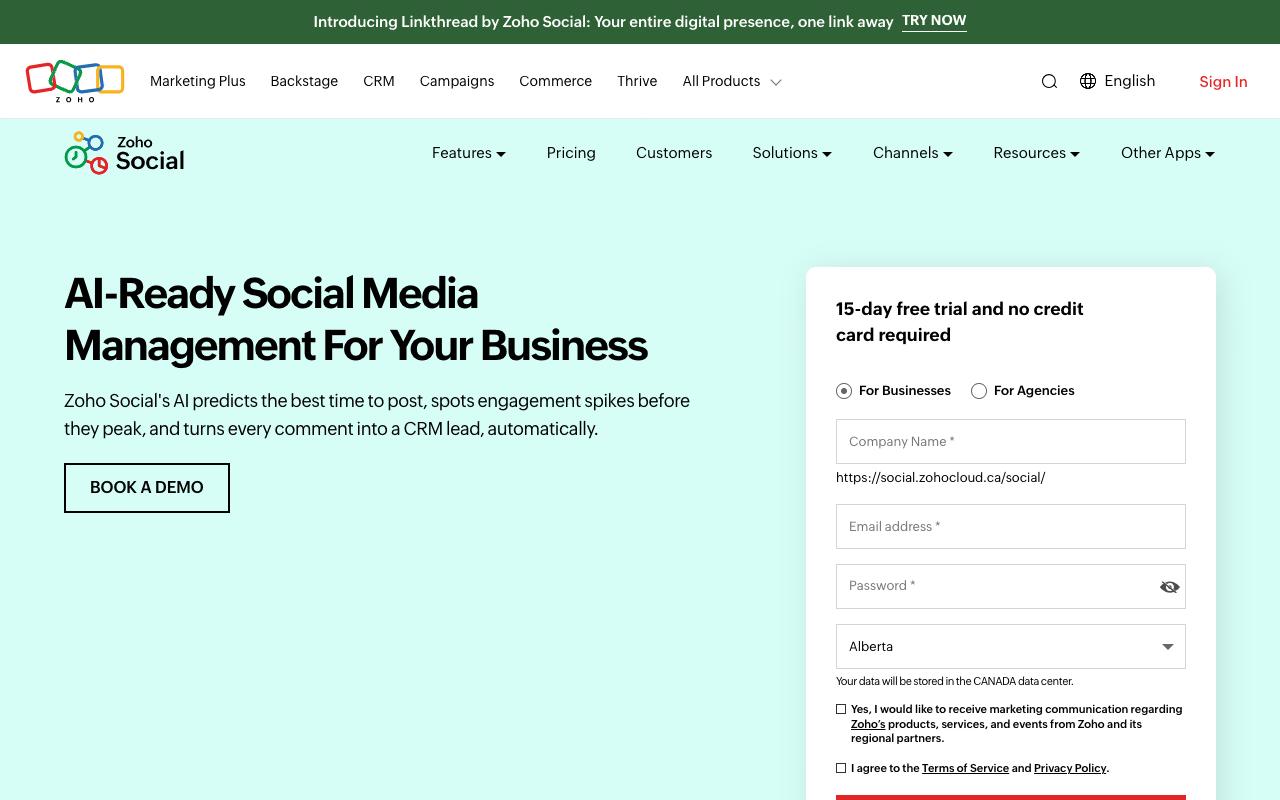
Zoho Social handles the fundamentals well and cheaply. The publishing calendar supports drag-and-drop rescheduling, and content queues use custom slots or "SmartQ" predictions to post when your audience is most active. Zia, Zoho's AI assistant, drafts or rephrases inbox responses from prompts. It scales from a single personal profile up to agencies managing multiple client brands, and if you already run Zoho CRM or Desk, the integrations on the Premium tier are a genuine reason to consolidate.
Pros:
- Easy, intuitive scheduling of posts across multiple social platforms from one dashboard (Trustpilot)
- Saves significant time by posting to multiple channels at once instead of individually (Trustpilot)
- Affordable/inexpensive pricing compared to alternatives like Hootsuite and Sprout Social (Reddit, Trustpilot)
- Good post customization options, e.g. reel covers, multiple media formats (Trustpilot)
- Comprehensive feature set for businesses/agencies managing online presence (Trustpilot)
Cons:
- Considered basic/limited for advanced social media marketing compared to Hootsuite or Sprout Social (Reddit)
- File upload quality for videos could be improved (Trustpilot)
- General Zoho account/support issues reported (confusing support pages, hard to cancel subscriptions) - not Social-specific but relevant to the Zoho ecosystem (Trustpilot)
Ratings are high where volume is high: G2 4.6/5 from 2,870 reviews and Capterra 4.6/5. TrustPilot shows 3.9/5 from 6,035 reviews, though that score covers the whole zoho.com domain rather than Zoho Social specifically. Reviewers there single out the product favorably: "The user experience with Zoho has been smooth sailing and straightforward for scheduling social media posts," and another said "It has saved me so much time and energy because I can post to multiple platforms at once... I think it's really important though that they improve the file uploads."
Users are candid about the limits too. In r/Zoho, commenter TarmacOrphan81 called it "very basic and limited if you want to take full advantage of social media marketing" and "not on the same level of Hootsuite or Sprout Social." Zoho's own account replied in that thread that "Zoho Social might be a better standalone option" if social is your only focus.
Pricing: Free forever for 1 brand, 6 channels, and 1 user. Standard is $15/mo (about $10/mo annually), Professional is $40/mo, Premium is $65/mo with 3 team members plus Inbox, content approvals, and Zoho CRM/Desk integration. Agency starts at $320/mo and Agency Plus runs to roughly $460/mo. Annual billing saves around 33%, per Zoho's pricing page.
On Capterra, Zoho Social holds 4.6/5 (via Perplexity). Reviewers commonly praise ease of use, scheduling, and affordable social media management and note limited analytics, missing features, and occasional usability constraints. See the Capterra reviews page.
On G2, Zoho Social holds 4.6/5 across 2,870 reviews (via Perplexity). Reviewers commonly praise ease of use, scheduling, and centralized multi-platform social media management and note limited advanced analytics, feature gaps, and missing platform integrations. See the G2 reviews and pros and cons pages.
Verdict: The best cheap option, particularly if you're already inside the Zoho ecosystem, but don't expect it to compete on advanced B2B analytics.
CoSchedule
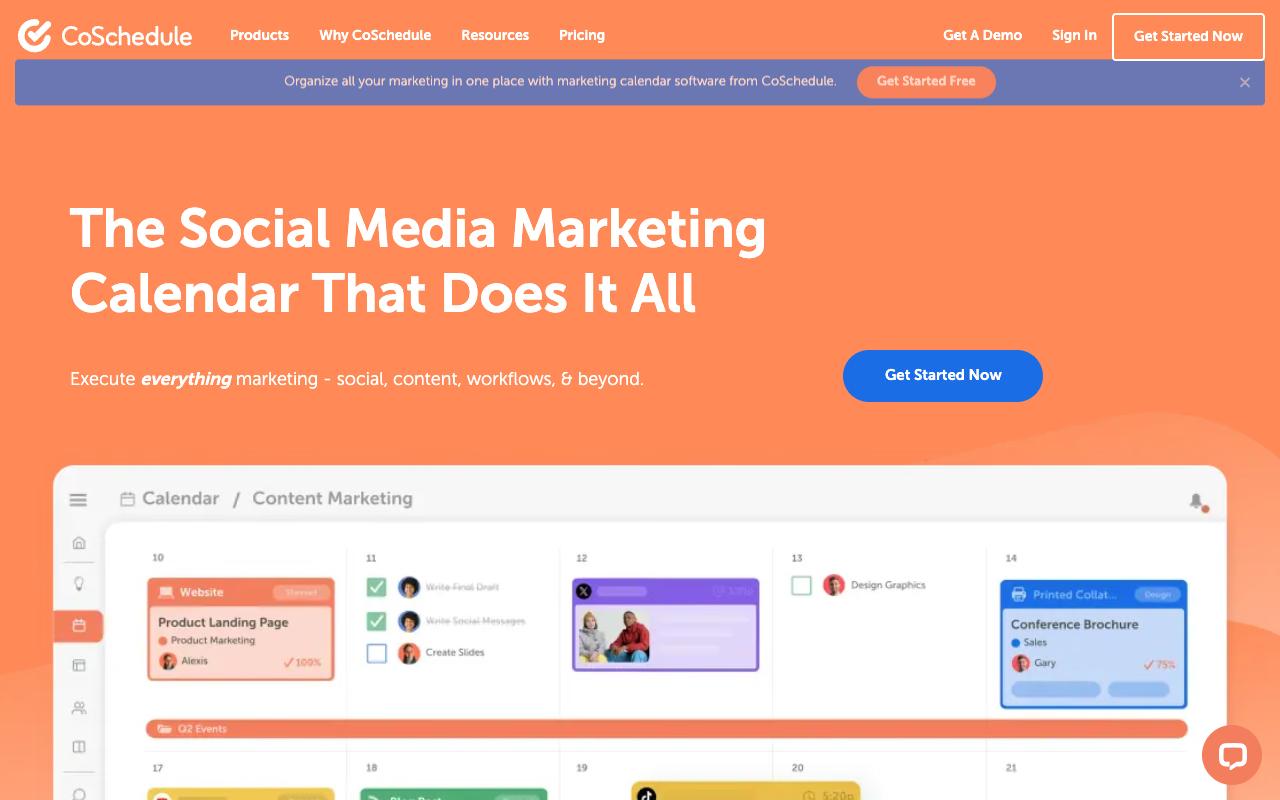
CoSchedule is a marketing calendar first and a social tool second. It pulls social posts, blogs, email, events, and podcasts onto one drag-and-drop calendar with projects, tasks, reusable templates, and an AI Assistant carrying 1,600+ prompt templates. ReQueue automatically republishes top-performing content, while the Social Message Optimizer and Best Time Scheduler handle the per-post work. Separate products exist for solopreneurs, agencies, mid-sized teams, and enterprise.
Pros:
- Clean, drag-and-drop calendar makes content planning visual and fast
- Works well across use cases: social media management, content/marketing calendar, project management, and reporting
- Strong integrations with social platforms and WordPress for one-place publishing
- Collaboration features (task assignments, approvals) tighten team workflows
- Scales from small teams (1-2 people) up to large organizations (20-100 people)
Cons:
- Pricing seen as expensive/inflexible, with features reduced over time while pushing costlier subscriptions
- Some reviewers report billing issues, including difficulty removing a card or stopping charges after signup
- Learning curve for new users
- Complaints about personal data handling, unsubscribing, and account deletion
- Aggressive sign-up walls and exit-intent popups reported on the marketing site
The reviews are the most polarized on this list. G2 shows 4.3/5 from 152 reviews and Capterra 4.4/5, while TrustPilot averages 3/5 from just 5 reviews, a sample small enough that individual reviews carry visible weight. One 5-star reviewer called it "Best marketing tool we've found" and cited social media management, content management, marketing calendar, project management, and reporting all working well. Two 1-star reviews go the other way hard: "Software is cluncky and useless" with a complaint that after signup "they keep charging you and dont allow you to remove your card," and "Not worth the money," alleging "They gradually reduce the features constantly trying to push you into more."
A LinkedIn roundup from MarketersClique described the calendar as "visual and fast" and noted collaboration features "cut down back-and-forth," while acknowledging "a learning curve and price that can add up for small teams." A Reddit commenter in r/socialmedia summed it up as "solid for multi-platform, but feels a bit heavy."
Pricing: Free Calendar is $0 forever for 1 user, 1 social profile, and up to 15 scheduled messages. Social Calendar is $19/user/month billed annually ($29 monthly) for up to 3 seats and 3 profiles. Agency Calendar is $59/user/month annually ($69 monthly) with unlimited client calendars, white label, and social approvals. Content Calendar and Marketing Suite are custom, per CoSchedule's pricing page.
On Capterra, CoSchedule holds 4.4/5 (via Perplexity). Reviewers commonly praise easy-to-use visual calendar and workflow tools that help organize campaigns and collaborate with teams and note pricing and feature constraints for smaller teams, along with some requests for deeper analytics and automation. See the Capterra reviews page.
On G2, CoSchedule holds 4.3/5 across 152 reviews (via Perplexity). Reviewers commonly praise centralized marketing calendar and scheduling that simplifies planning across content and social channels and note learning curve and occasional usability issues, including limitations in advanced features and integrations. See the G2 reviews and pros and cons pages.
Verdict: Pick it if your bottleneck is coordinating social alongside blogs, email, and events rather than social itself, and budget time for onboarding.
FAQ
Which Of These Tools Is Built Specifically For B2B?
Oktopost is the most explicitly B2B, described as built exclusively for B2B marketing teams with campaign-based publishing, UTM tracking, and CRM integration so social activity maps to leads and pipeline. Ordinal targets a similar buyer through LinkedIn depth and analytics that surface what drives revenue, aimed at agencies, founders and executives, and growth teams. The rest are general-purpose platforms that B2B teams use, with Agorapulse standing out for its Social ROI reporting that pulls from Google Analytics.
What's The Cheapest Way To Get Client Approval Workflows?
Planable Basic at $33/workspace/month includes two approval types (None and Optional) with unlimited users per workspace, and the free tier covers your first 50 posts with no time limit. Planable Pro at $49/workspace/month adds a Required approval type. Sendible includes assignment and approvals on its Plus plan at $99/mo, and Zoho Social gates content approvals behind Premium at $65/mo. On Hootsuite, approval workflows don't appear until the Advanced plan at $399/mo per user.
Do Any Of These Support Personal LinkedIn Profiles Rather Than Just Company Pages?
Ordinal supports tagging both personal profiles and company accounts on LinkedIn, and lets you draft and schedule for founder and exec accounts alongside company pages. Agorapulse supports managing personal LinkedIn profiles, which one reviewer on LinkedIn Pulse cited as the reason they chose it over Sprout Social, though reviewers note personal profiles lack inbox, analytics, and video scheduling there. If personal profiles are central to your strategy, verify the specific capability you need before committing, since support varies feature by feature rather than being all-or-nothing.
Related Posts
Looking to learn more? The below posts may be helpful for you to learn more about social media and content marketing.