

Introduction
You're likely reading this Sprout Social vs Ordinal comparison because something's broken in your current workflow. Maybe it's the endless approval emails, or the fact that your LinkedIn analytics show 500 engagements but can't tell you if any of them work at target accounts. If your team treats social content as a revenue channel, you need different features than teams just scheduling posts.
TLDR:
- Sprout Social offers scheduling and monitoring; Ordinal connects social engagement to revenue
- Ordinal shows which prospects engaged with your LinkedIn posts and syncs them to your CRM as leads
- Auto-engagement features coordinate team likes, comments, and reposts to boost visibility
- Ordinal excels at executive thought leadership and employee advocacy with approval workflows
- Best for B2B teams treating social content as a pipeline channel, not just a broadcast tool
What is Sprout Social?
Sprout Social is a social media management tool that launched in 2010 to help businesses manage multiple social accounts from one dashboard. The software covers publishing, monitoring, and reporting across major social networks like Facebook, Instagram, Twitter, and LinkedIn.
The tool includes three core capabilities:
- Publishing tools that let you schedule content across social networks
- Social listening features that track brand mentions and conversations
- Analytics reporting that measures campaign performance through charts and metrics
Sprout Social also includes customer care functionality with a unified inbox that consolidates messages and comments from different networks. This makes it popular with larger organizations that use social media as a customer service channel.
The software follows a traditional approach to social media management with preset workflows and feature sets. This structure works for general social media tasks but may not fit teams focused on thought leadership content or revenue-driven social engagement.
What is Ordinal?
Ordinal helps B2B teams turn social content into revenue. The software handles creation, scheduling, and amplification for posts that drive pipeline.
Core features include:
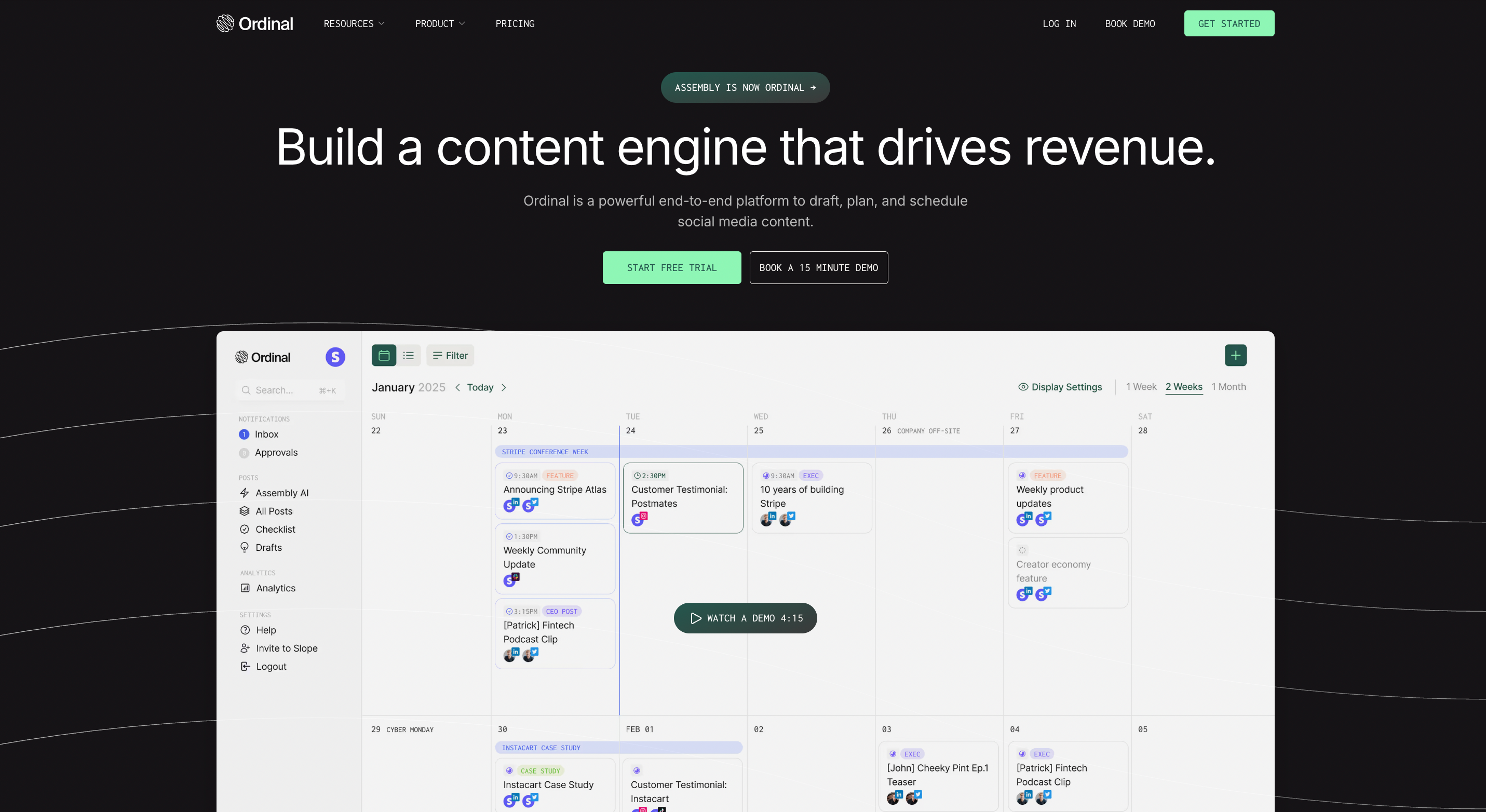
- A Notion-like editor for drafting posts with formatting support
- Visual calendar for planning content across campaigns and channels
- Team collaboration and approval workflows
- Automated engagement features that boost post visibility
- Analytics connecting social activity to sales opportunities
Ordinal works across all major social networks but excels on LinkedIn, where over half of connected accounts live. The software helps companies build thought leadership, coordinate employee advocacy, and identify warm leads from engagement.
The software serves B2B tech companies growing their professional social presence and agencies managing content for multiple clients. Both need more than basic scheduling to treat social content as a revenue channel.
Content Creation and Collaboration
Sprout Social provides a basic composer for writing captions, adding media, and scheduling posts. The AI Assist feature generates caption ideas from prompts, though output often feels templated and generic.
Collaboration happens outside the tool. Teams coordinate through email or Google Docs, then copy finalized text into Sprout. Multiple people can't refine post drafts together in real time.
Ordinal's editor functions like a document editor. You can format text with bold, italics, and line breaks while drafting, which matters for LinkedIn posts where formatting affects readability. The editor handles quick updates and longer thought leadership pieces.
In-line collaboration lets teams comment directly on draft posts. A writer creates the initial version, a subject matter expert adds technical details in a comment, and a manager approves everything in one thread. No screenshots or forwarded emails required.
Realistic previews show exactly how posts will render on LinkedIn, including where the "see more" cutoff appears. You can structure content to place the hook before the fold instead of discovering formatting issues after publishing.
Approval Workflows and Team Management
Sprout Social includes task assignments and approval queues for teams managing social content. Administrators can require posts to pass through an approval stage before publishing, with team members able to assign review tasks to each other.
The approval system works linearly: submit a post, someone reviews it, then approves or rejects. Customizing approval chains for different content types or stakeholders requires workarounds, which becomes limiting when multiple executives need sign-off or when agency clients require final review.
Ordinal handles complex organizational structures differently. Posts route to specific managers, executives, or external clients based on content type, topic, or network. A LinkedIn post from the CEO might need approval from communications and legal, while a product launch requires product marketing sign-off.
Slack integration keeps approvals moving. When a post needs review, approvers receive immediate notifications in Slack with a direct link to the draft. They can review and approve without leaving Slack or waiting for email notifications. Posts remain locked until all required approvers sign off, preventing accidental publishing.
Auto-Engagement and Growth Features
Sprout Social tracks brand mentions and monitors conversations across social networks. Teams can set up keyword alerts and view relevant discussions, though responding requires clicking through notifications and manually drafting replies.
The challenge appears when coordinating team engagement. Getting colleagues to like or comment on company posts means sending messages, tagging people, or hoping they check the feed. By the time everyone responds, the first hour window has closed.
Ordinal addresses this with automated engagement features:
- Auto first comments publish a pre-scheduled follow-up comment after your main post goes live, letting you add context or links without cluttering the original
- Auto likes coordinate engagement across team accounts, with multiple profiles liking your LinkedIn post within minutes of publishing to signal value to the algorithm
- Slack Boost notifications alert your team instantly when a post publishes, including a direct link to prompt immediate engagement
- Auto reposts reshare content from executive or employee accounts after the original publishes, extending reach beyond company page followers
LinkedIn and Employee Advocacy Capabilities
Sprout Social schedules posts to company pages and personal profiles with basic image support and metrics tracking. Recent updates include document publishing and personal profile analytics.
The gap appears in executive thought leadership and employee amplification programs. Sprout provides aggregate engagement numbers without identifying which prospects or decision makers interacted with content. You can't see that a VP at your target account commented on your CFO's market analysis post.
Ordinal shows exactly which individuals engaged with your LinkedIn content. When someone from a target account likes or comments, sales can follow up while you're top of mind. This turns engagement data into pipeline signals.
Employee advocacy runs through the same system. Draft posts for executives or team members, route through approval workflows, and publish to personal profiles at scale. Auto-engagement features turn your team into a content distribution network. Personal profiles reach further than company pages on LinkedIn.
The difference: LinkedIn content that identifies warm leads instead of surface-level metrics.
Revenue Attribution and Analytics
Sprout Social provides analytics dashboards that track engagement rates, follower growth, impressions, and post performance. Reports show which content types generate the most interactions, with customizable charts displaying activity over time.
These reports answer questions about social performance but stop at surface metrics. You can see that 500 people engaged with your post, but can't identify whether those people work at target accounts or represent revenue opportunities.
Ordinal surfaces exactly which individuals engaged with your content, then connects that information to revenue workflows. When prospects from target accounts interact with your LinkedIn posts, you can export those profiles directly into enrichment tools or sync them to HubSpot and Salesforce as warm leads.
For B2B teams, this changes how you measure social success. Instead of tracking vanity metrics, you attribute pipeline and closed deals to specific posts. A comment from a decision maker becomes a sales trigger, not just an engagement statistic.
Why Ordinal is the Better Choice
Sprout Social covers multiple social networks with standard publishing and monitoring features. It works for teams using social media as a broadcast channel.
Ordinal takes a different approach. The software turns social content into revenue through LinkedIn thought leadership and employee advocacy, addressing the market shift where B2B marketers increased thought leadership budgets by 53% in 2024 and 73% plan to scale employee advocacy programs in 2025.
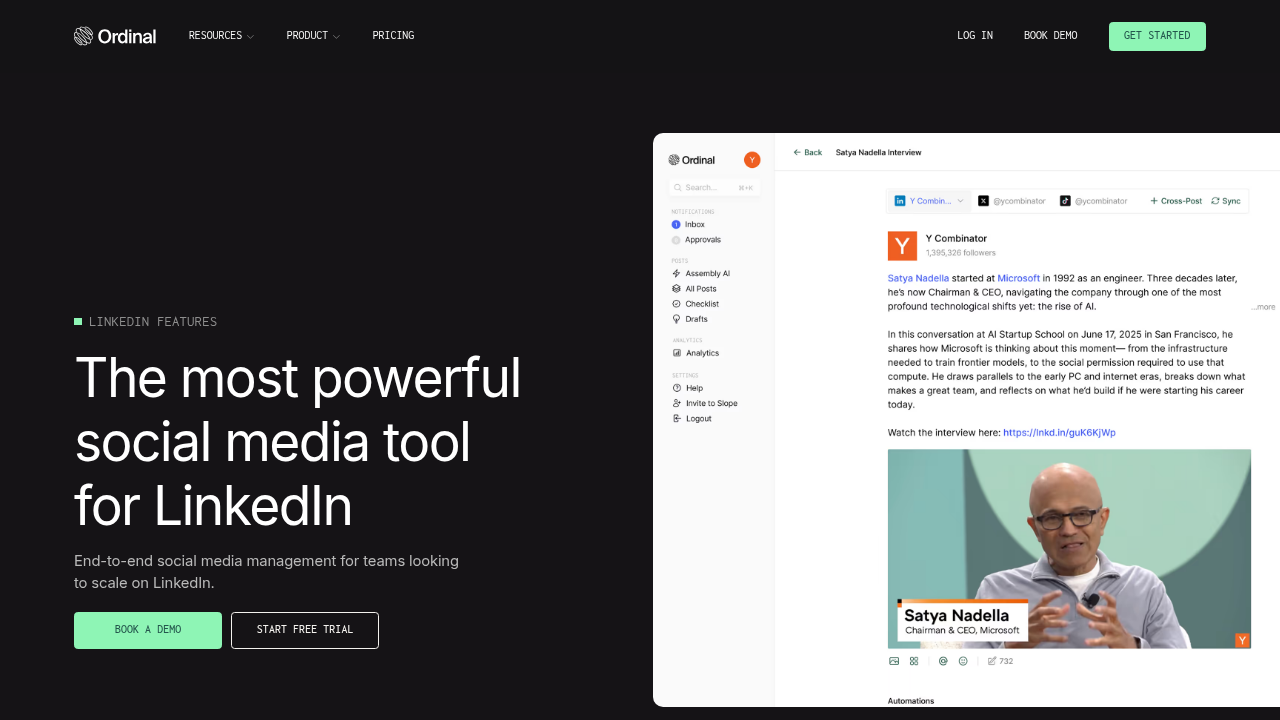
The difference shows up when you need to coordinate executive content, route posts through legal approval, schedule auto-comments to extend reach, identify which prospects engaged with your content, and sync that engagement data into your CRM as warm leads.
Sprout Social provides scheduled posts and engagement dashboards. Ordinal connects every post, comment, and interaction to pipeline opportunities.
Final thoughts on picking the right social media tool
Sprout Social covers the basics across multiple networks. Ordinal focuses on LinkedIn and treats every post as a revenue opportunity. With 60% of B2B marketers planning to increase investments in both social media advertising and AI tools in 2025, teams need platforms built for revenue-focused social strategies, not just content distribution.
With Ordinal, you get approval workflows that handle complex sign-offs, auto-engagement that boosts visibility, and analytics that identify which prospects care about your content. If social media is a customer service channel for you, go with Sprout. If it's a revenue channel, you need something different.
FAQ
What's the main difference between Sprout Social and Ordinal?
Sprout Social focuses on publishing and monitoring across multiple social networks with standard analytics, while Ordinal connects social engagement directly to revenue by identifying which prospects interact with your content and syncing that data to your CRM.
How does Ordinal help with LinkedIn thought leadership programs?
Ordinal lets you draft posts for executives, route them through approval workflows, publish to personal profiles at scale, and coordinate team engagement through auto-likes and Slack notifications to maximize reach and visibility.
Can I see which specific people engaged with my LinkedIn posts?
Yes, Ordinal shows exactly which individuals liked or commented on your content, allowing you to identify prospects from target accounts and follow up while your brand is top of mind.
When should I consider switching from Sprout Social to Ordinal?
If you're running B2B social programs focused on LinkedIn, need to tie social engagement to pipeline, or want to coordinate employee advocacy and executive content at scale, Ordinal provides capabilities that Sprout Social doesn't offer.
How do auto-engagement features work in Ordinal?
Ordinal can automatically post first comments, coordinate likes from team accounts within minutes of publishing, send Slack alerts to prompt immediate engagement, and repost content from executive profiles to extend reach beyond company pages.
Related Posts
Looking to learn more? The below posts may be helpful for you to learn more about social media and content marketing.