


Back to Changelog
March 20, 2026
Version History
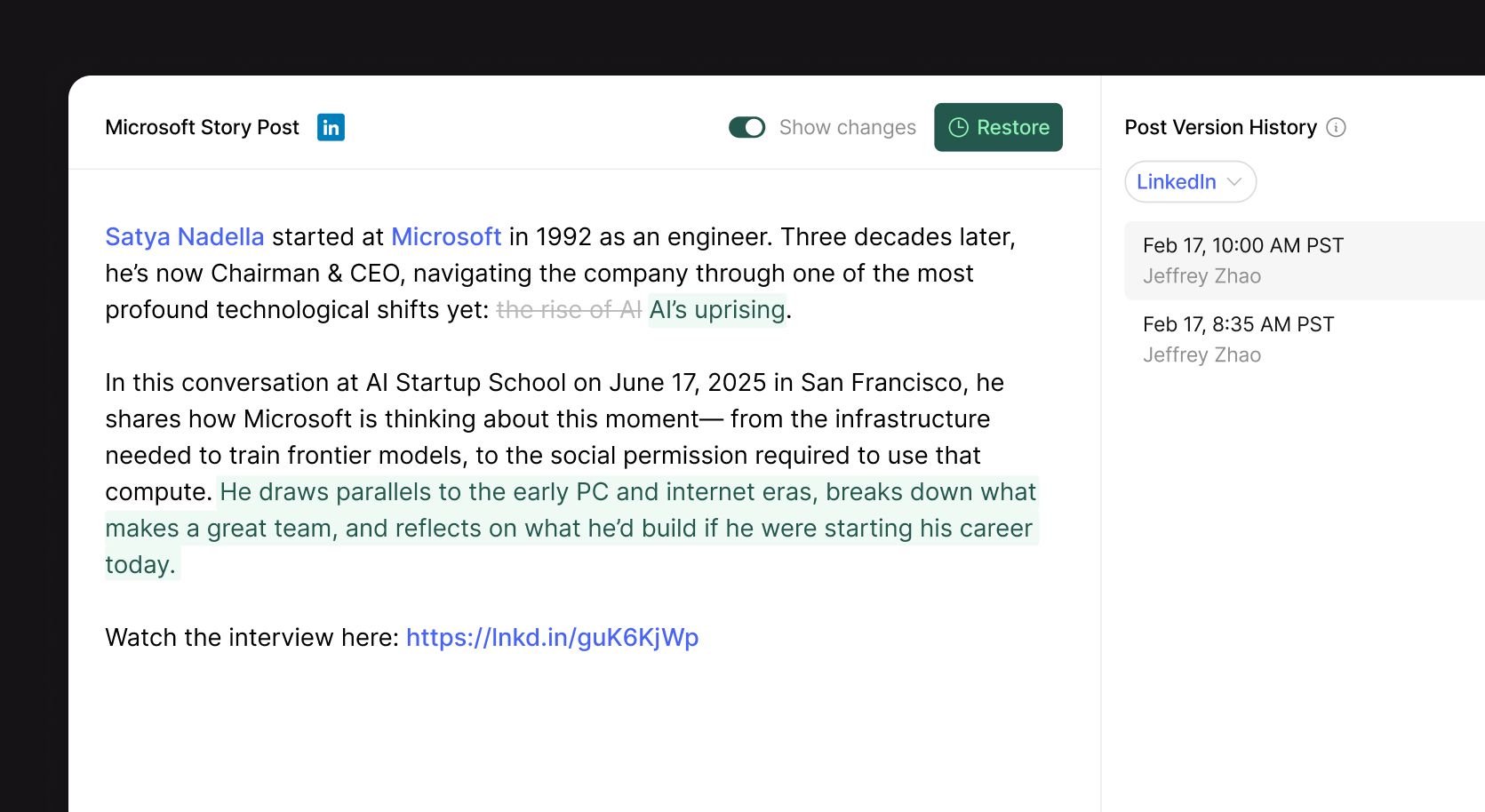
You can now view and restore previous versions of your post copy. Open any post and click the history icon in the header to browse every saved version, see who made changes and when, and preview exactly what the post looked like at that point.
Toggle "Show changes" to see a word-level diff highlighting what was added or removed between versions. Found a version you want to go back to? Hit Restore to replace the current copy instantly.
Version history is tracked independently for each channel on a post, so you can review changes for each channel separately.
Start succeeding on socials with Ordinal.
Content Agencies
Founders & Execs
Social Media Managers
Content Marketers
Growth Teams
Content Agencies
Founders & Execs
Social Media Managers
Content Marketers
Growth Teams
Content Agencies
Founders & Execs
Social Media Managers
Content Marketers
Growth Teams