

Client Dashboard
Get reporting on how your content is performing across channels. Track followers, engagement, impressions, and more.
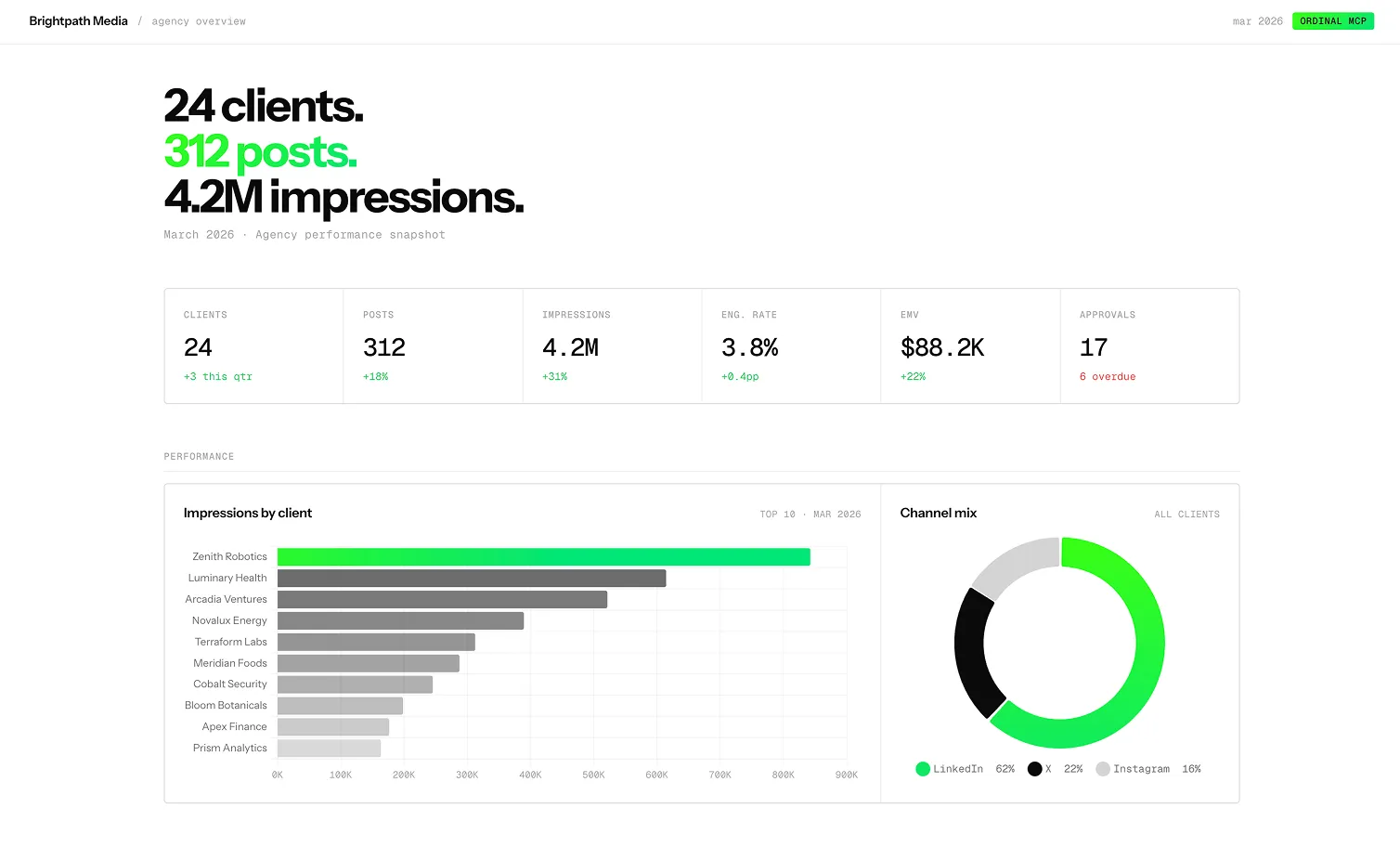
Manage your client’s analytics in a single, centralized dashboard
How it works
The AI queries every workspace your API key has access to and builds a table with one row per client. Each row shows posts scheduled, posts awaiting approval, how old the oldest approval is, when the client last published, and whether engagement is up or down from last week.
- Runs across every workspace your API key touches in a single pass
- Flags approvals that have been sitting open for more than 48 hours
- Highlights clients with no activity in the last 7 days
- Refreshes on demand: tell the AI “re-run” and it pulls the latest state
Who it’s for
For the person who starts Monday by logging in and out of five client workspaces to figure out where the fires are. One page tells you where to start.
- Agency owners running a weekly account health check
- Account directors deciding which client to call first
- Content leads chasing down approvals across accounts
- Ops leads spotting clients falling behind their posting cadence
Modules
Four sections, built for a Monday account review.
- Client status grid: one row per client, colored by urgency
- Approvals queue: every post waiting on approval, ordered by how long it’s been sitting
- Weekly output: posts published per client this week against last week
- Attention list: short list of clients that need a call, based on the other three sections
About the Ordinal MCP
Ordinal is a LinkedIn publishing platform for founders, marketing teams, and agencies. Plan posts, run approvals, publish across multiple profiles, and track analytics from one workspace.
The Ordinal MCP is a server that connects AI tools to your workspace. Point Claude, Cursor, or any MCP-compatible client atapp.tryordinal.com/api/mcp, add an API key, and the AI can work with your posts, profiles, analytics, labels, approvals, and auto-engagement rules. Every example on this page was generated by an AI using the MCP.
Include the DESIGN.MD file optionally if you want to follow the style guide set out in the example above.

